
PDF Editor – Edit PDF Files Online Free
PDF Magic is a free PDF editor that works in your browser: edit text, sign, fill forms and organize pages.
- No upload
- No watermark
- No sign-up
- Works on any device
Open a file above and start editing. This free PDF editor changes text, adds signatures, fills in forms, highlights and whites out, and moves, rotates or deletes pages. Everything happens on your own device, so your documents are never uploaded, and every download is free of watermarks.
Everything You Need in One Free PDF Editor
Pick a tool to jump straight to it. Every tool opens the same PDF editor, ready for that job.
Edit PDF text
Change the words already on the page.
Sign PDF
Draw, type or upload your signature.
Fill PDF forms
Type into fields and tick boxes.
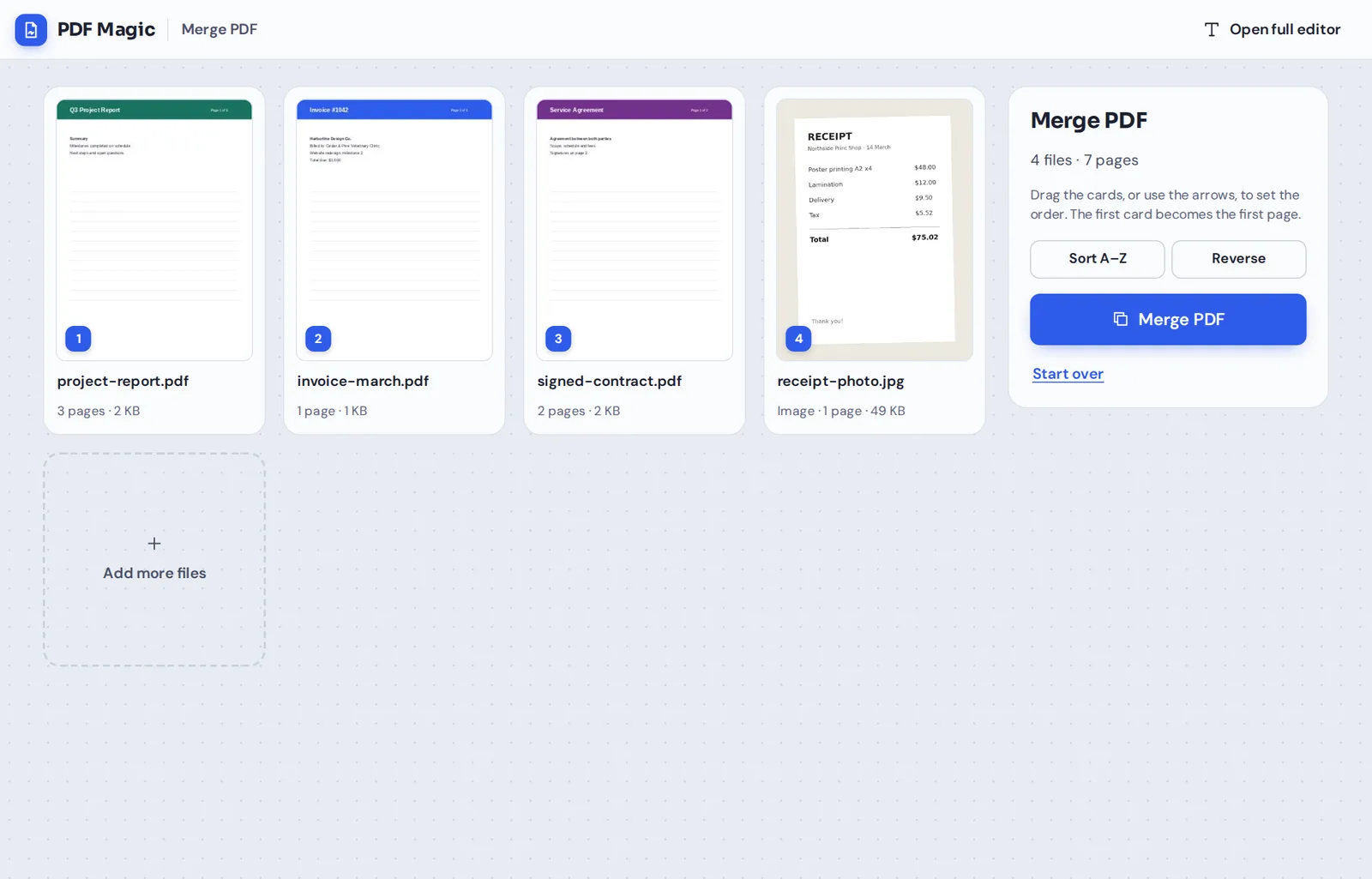
Merge PDF
Combine PDFs and images into one file.
Add text to PDF
Type anywhere on the page.
Highlight PDF
Mark text in five colors.
Whiteout PDF
Cover text and type over it.
Rearrange PDF pages
Drag pages into order.
Rotate PDF
Turn sideways pages upright.
Delete PDF pages
Remove pages you do not need.
PDF maker
Start from a blank page or photos.
Create a fillable PDF
Add fields people can type into.
How to Use the PDF Editor in 4 Steps
Most edits take less than a minute, with nothing to install.
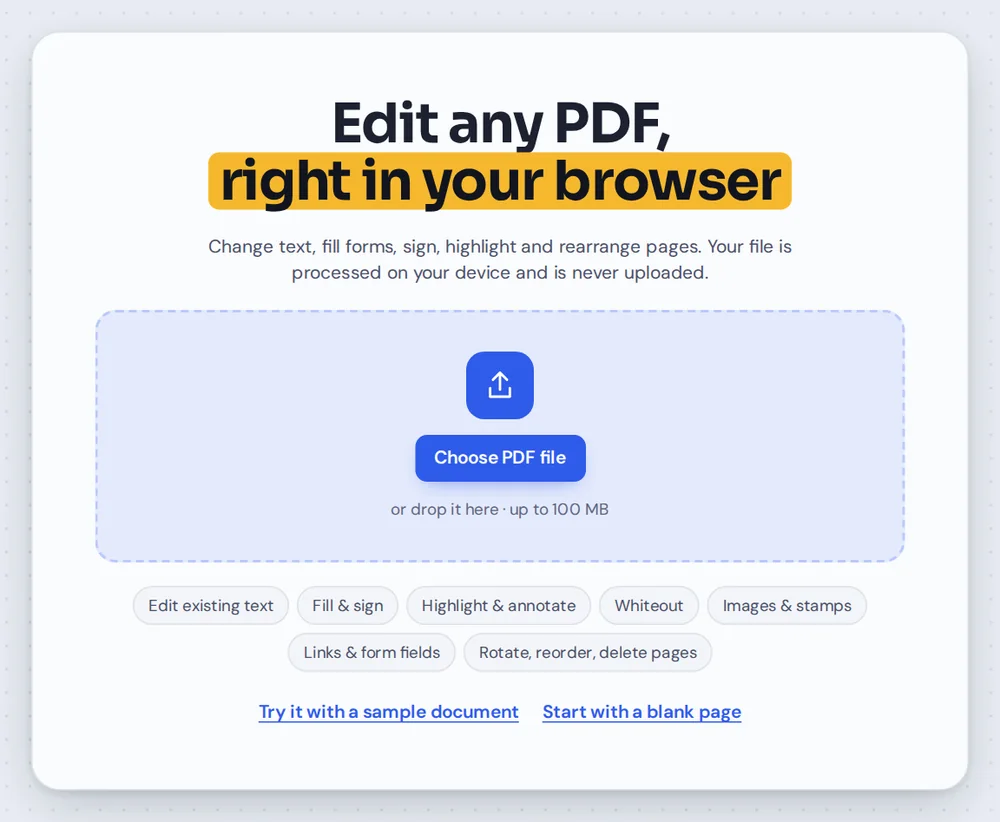
Open your PDF
Click Choose PDF file or drag a document onto the PDF editor at the top of this page.

Pick a tool
Choose Text, Sign, Highlight, Whiteout or any other tool from the toolbar.
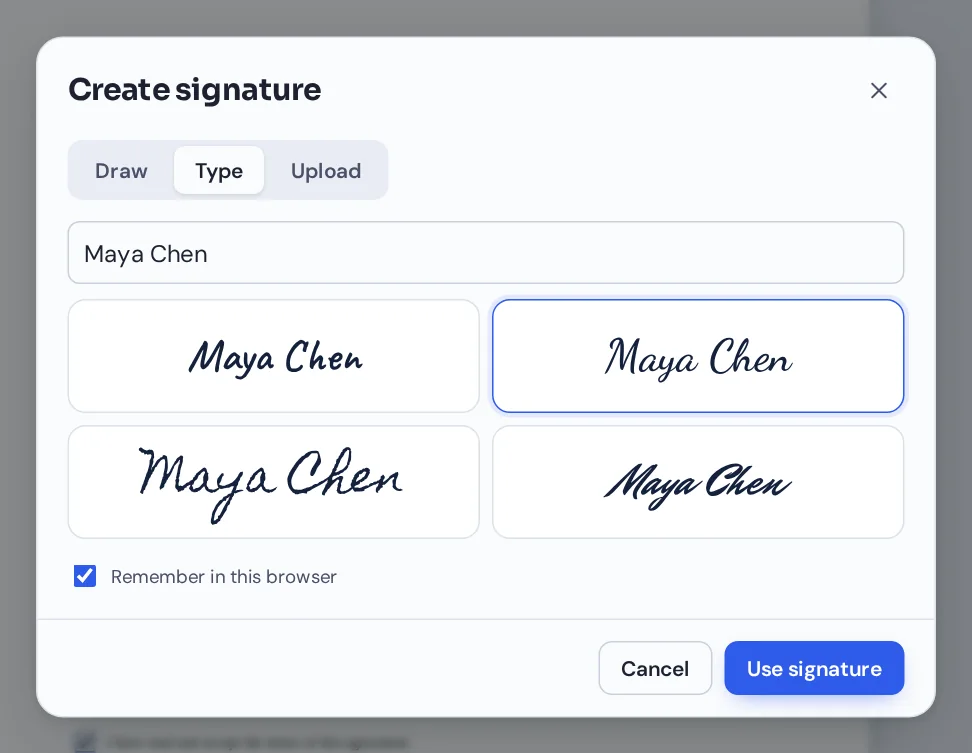
Make your changes
Click the page to type, draw a signature, fill a field or mark up text. Select anything to move, resize or restyle it.
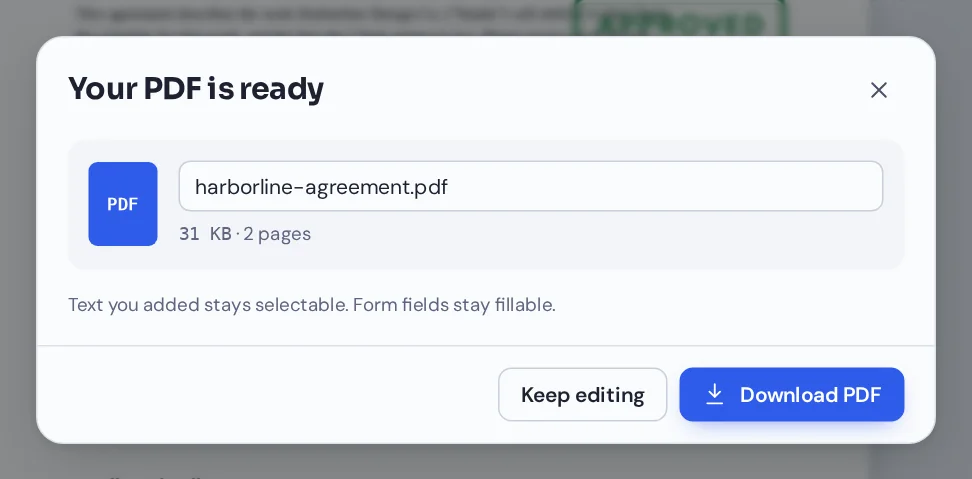
Download your PDF
Click Download and name your file. It opens in any PDF reader, with no watermark.
A Different Kind of Online PDF Editor
Most online PDF editors upload your document to their servers, change it there and send it back. PDF Magic works the other way round: the whole PDF editor runs inside your browser tab, and your file never leaves your device.
That makes it fast, because there is no upload or download to wait for, and private, because nobody else ever receives a copy of your file. It also means the PDF editor keeps working on slow connections once the page has loaded.
You do not need an account, and free downloads never carry a watermark or a logo.
No upload
Your files are opened and changed on your own device.
No watermark
Your downloads look like your documents, not like an ad.
No install
A PDF editor in the browser you already have.
PDF Magic Compared With Other PDF Editors
How a browser-based PDF editor that keeps files on your device compares with the usual options.
| PDF Magic | Typical online editor | Desktop software | |
|---|---|---|---|
| Install anything | No | No | Yes |
| Where your file is processed | On your own device | On the company's servers | On your own device |
| Account needed | No | Often, to download | Often, to activate |
| Watermark on free downloads | Never | Varies by tool | Varies by program |
| Works on phones and Chromebooks | Yes | Usually | Only where it is installed |
| Updates | Always the latest version | Always the latest version | You install them |
Tools in the PDF Editor
The toolbar has everything for everyday documents, grouped the way you work.
Edit
Change what the page says.
- Edit existing text
Click a line and retype it, in a matching font where possible.
- Add text
Type anywhere, in any size and color.
- Find and replace
Change a word on every page at once.
- Whiteout
Cover text and images, then type over them.
Annotate
Mark it up for someone else.
- Highlight, underline, strike out
Marks that snap neatly to the words.
- Draw and shapes
Freehand pen, boxes, circles, lines and arrows.
- Stamps and images
Approved, Paid, your own stamp, logos and photos.
Fill and sign
Finish forms and agreements.
- Sign
Draw, type or upload your signature and initials.
- Fill forms
Type into fields, tick boxes, add dates and checkmarks.
- Create forms
Add text boxes and checkboxes that others can fill in.
Organize
Get the pages right.
- Reorder, rotate, delete
Drag, turn or remove pages in the sidebar.
- Copy and add pages
Duplicate a page or insert a blank one.
- Merge files
Combine PDFs and photos into one document.
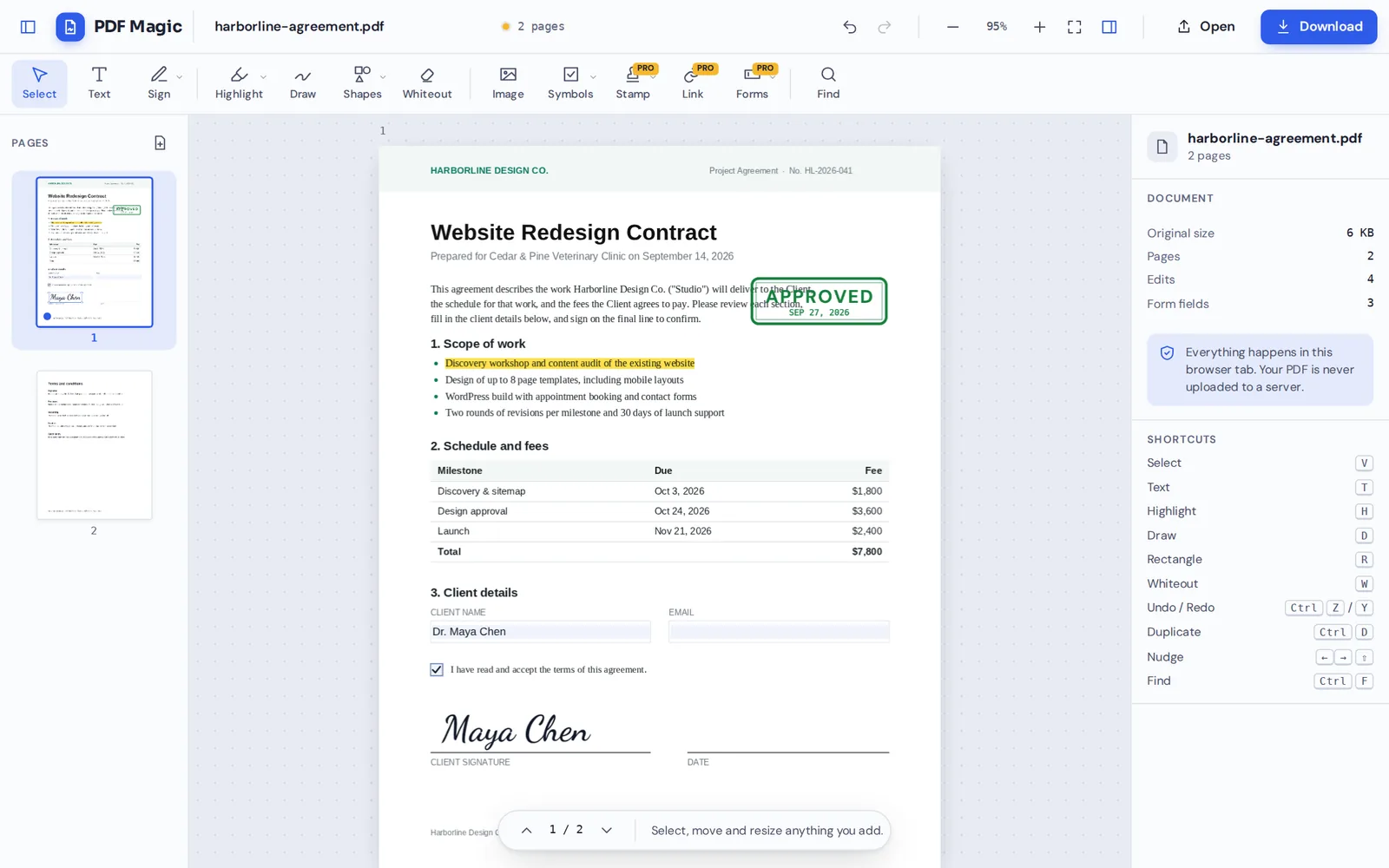
Everything in one screen: pages on the left, the document in the middle and the settings for whatever you select on the right. This is the whole PDF editor, with no hidden steps.
Quick Tools Next to the PDF Editor
Some jobs need no editing at all. Merge PDF combines files in the order you choose, and Create PDF turns a blank page or your photos into a new document.
A Private PDF Editor: Your Files Stay With You
Contracts, bank statements, medical letters and ID documents are exactly the files people need to edit most. With PDF Magic they are opened and changed inside your browser and are never sent to our servers.
We do not see your documents, we do not store them and we do not need an account to let you use the PDF editor. Close the tab and nothing is left behind.
- 0files uploadedYour PDF stays on your device.
- 0watermarksFree downloads stay clean.
- 0accounts neededOpen the page and start.
Works on iPhone, Android and Computer
- Windows
- Mac
- Linux
- Chromebook
- iPhone
- iPad
- Android
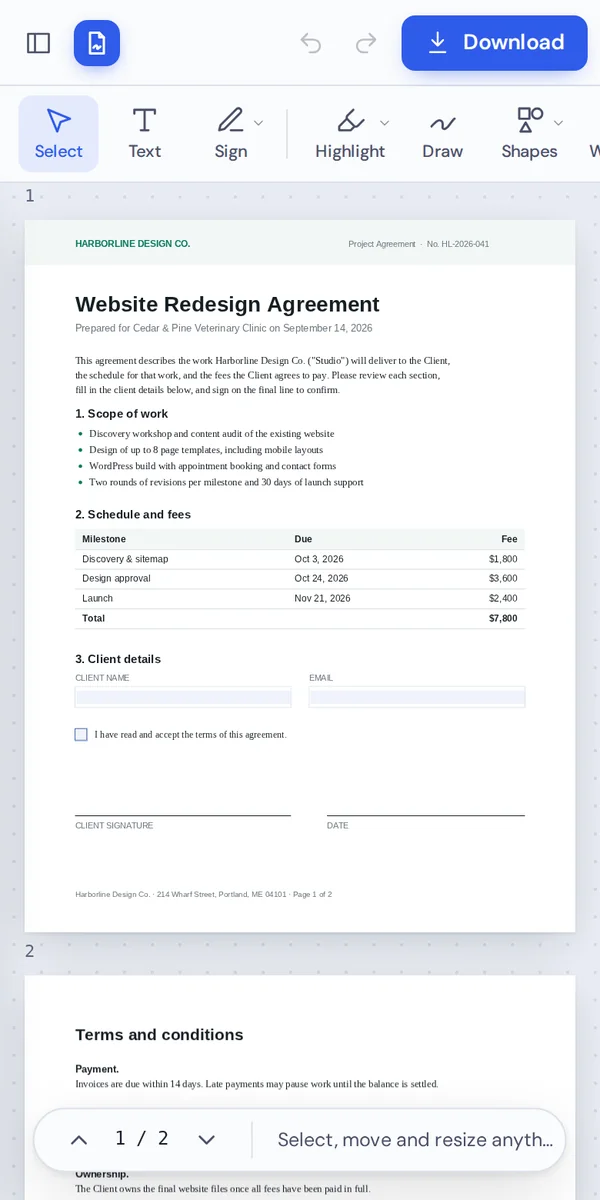
PDF Magic works in any modern browser, so the same PDF editor runs on a laptop, a Chromebook, a tablet or a phone. There is no app to install and nothing to update.
On a phone, the tools sit along the top and the page buttons sit under each thumbnail, so you can sign a form or fix a page wherever you are.
Who Uses This Free PDF Editor
Anyone who works with PDFs now and then, and does not want to pay for or install a PDF editor to do it.
Students
Fill in forms, sign letters and combine assignments.
Freelancers
Sign contracts and send tidy invoices.
Small businesses
Stamp, sign and fill documents every day.
Renters and buyers
Complete applications and sign leases.
Patients and parents
Fill in medical and school forms privately.
Office teams
Mark up drafts and fix pages before sending.
Pro Tips for Faster Results
- Zoom in for small printUse the + button or Ctrl and the mouse wheel.
- Use the page sidebarReorder, rotate or copy pages without leaving the editor.
- Learn a few shortcutsT for text, H for highlight, W for whiteout, V to select.
- Undo anythingCtrl+Z steps back, Ctrl+Y steps forward again.
- Save your signatureKeep it in your browser to sign the next file in one click.
- Name your fileRename the download so it is easy to find later.
PDF Editor: Frequently Asked Questions
Answers to what people ask most before they start.
How can I edit a PDF online?
Open your file in the PDF editor at the top of this page, pick a tool such as Text, Sign or Highlight, make your changes and click Download. Nothing is uploaded, and there is nothing to install.
Can I edit a PDF for free online?
Yes. You can edit, sign, fill and organize PDFs and download them for free, with no account and no watermark. During our launch every tool is free.
How do I edit text in a PDF?
Click the line you want to change and retype it. The PDF editor matches the original font where it can. To add new text, choose Text and click anywhere on the page.
Can I edit a PDF without Adobe Acrobat?
Yes. PDF Magic is a PDF editor that runs in your browser, so you do not need Acrobat or any other software, and the file you download opens in every PDF reader.
Can I edit a PDF on my phone?
Yes. Open this page in your phone's browser, tap Choose PDF file and use the tools along the top. There is no app to install.
Is it safe to edit a PDF online?
Yes. Most online editors upload your file, but this PDF editor opens and changes it inside your browser. Your file never reaches our servers.
How do I edit a scanned PDF?
You can add text, signatures, highlights, shapes and whiteout to scanned pages. The words inside a scan are part of a picture, so they cannot be retyped. Cover them with whiteout and type over them instead.
Can I edit a PDF without changing the formatting?
Yes. Only what you change is changed. The PDF editor keeps the rest of every page exactly as it was, with text still sharp and selectable.
Ready to Try the PDF Editor?
No account, no upload and no watermark: open a file at the top of this page and start editing.
Open the editorPDF Magic is the free, private way to work with PDFs. Open your document and try the PDF editor today.