
GIF to PDF Converter – Free and Private
GIF to PDF in seconds: turn GIF images and charts into one PDF, right in your browser.
- No upload
- No watermark
- No sign-up
- Animated GIFs too
GIF to PDF turns GIF images, charts, diagrams and cards into a document you can print, sign and share. For an animated GIF, the first frame becomes the page, and you can see that frame before you convert. Your files are never uploaded.
How to Convert GIF to PDF
The same steps for one GIF or a whole set.
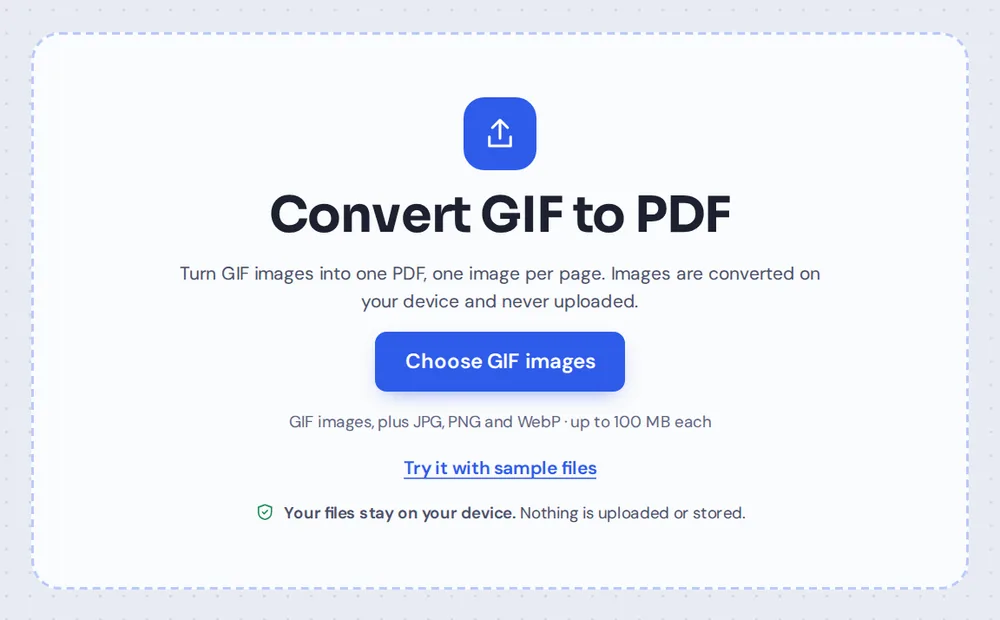
Choose your GIF images
Click Choose GIF images or drop the files on the tool above. JPG, PNG and WebP images can go in the same PDF too.
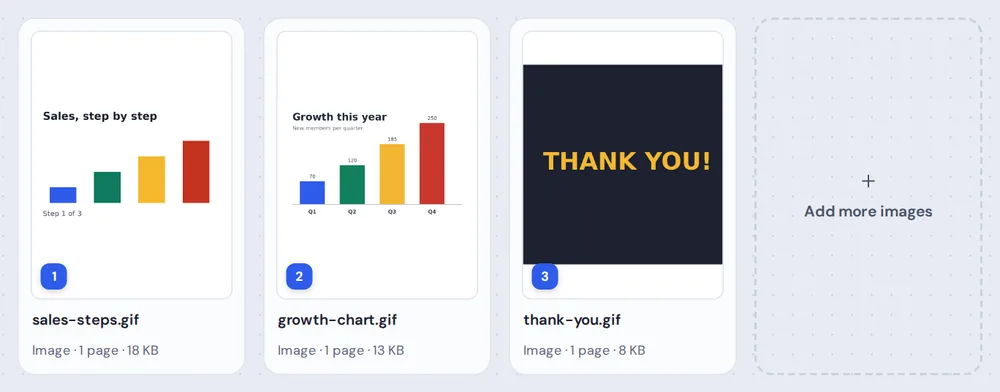
Check and order them
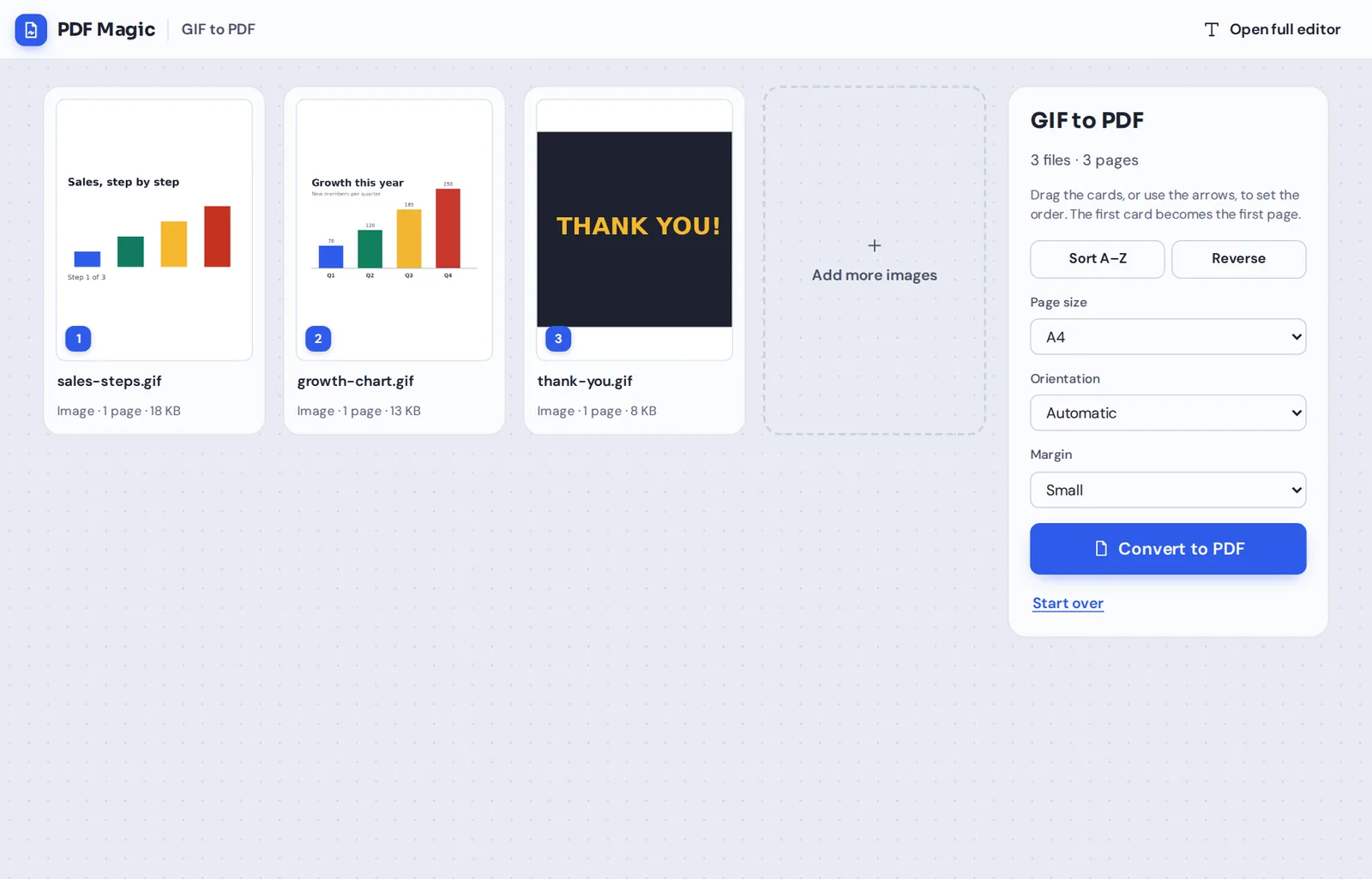
Each GIF becomes a numbered card. Animated GIFs show the still first frame, which is what goes on the page. Drag the cards, or use the arrows, to set the order.
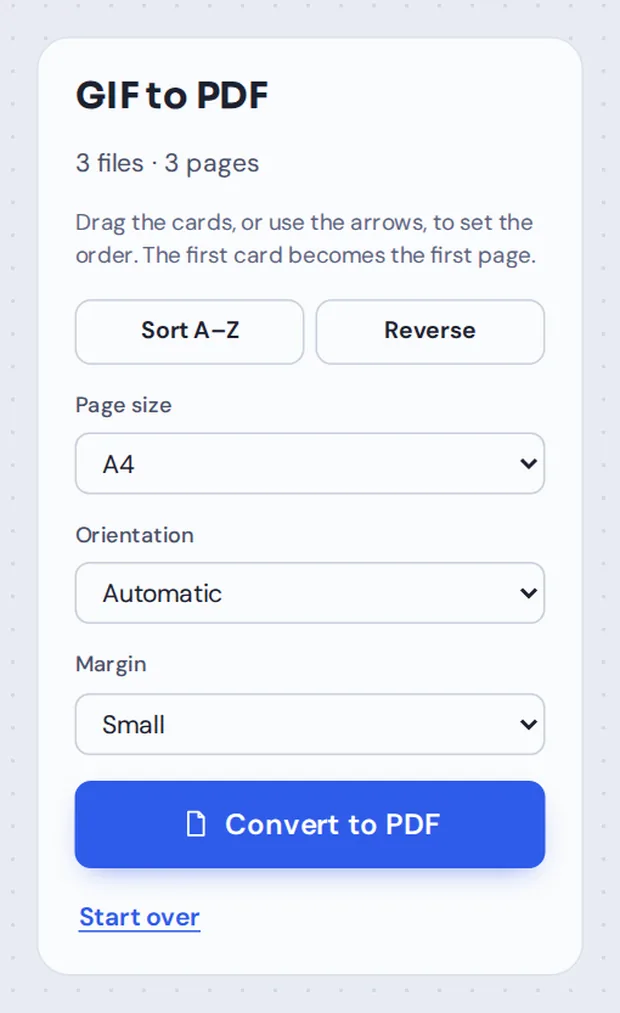
Pick the page layout
Choose A4, Letter or Same as the image. Automatic orientation puts wide charts on landscape pages.
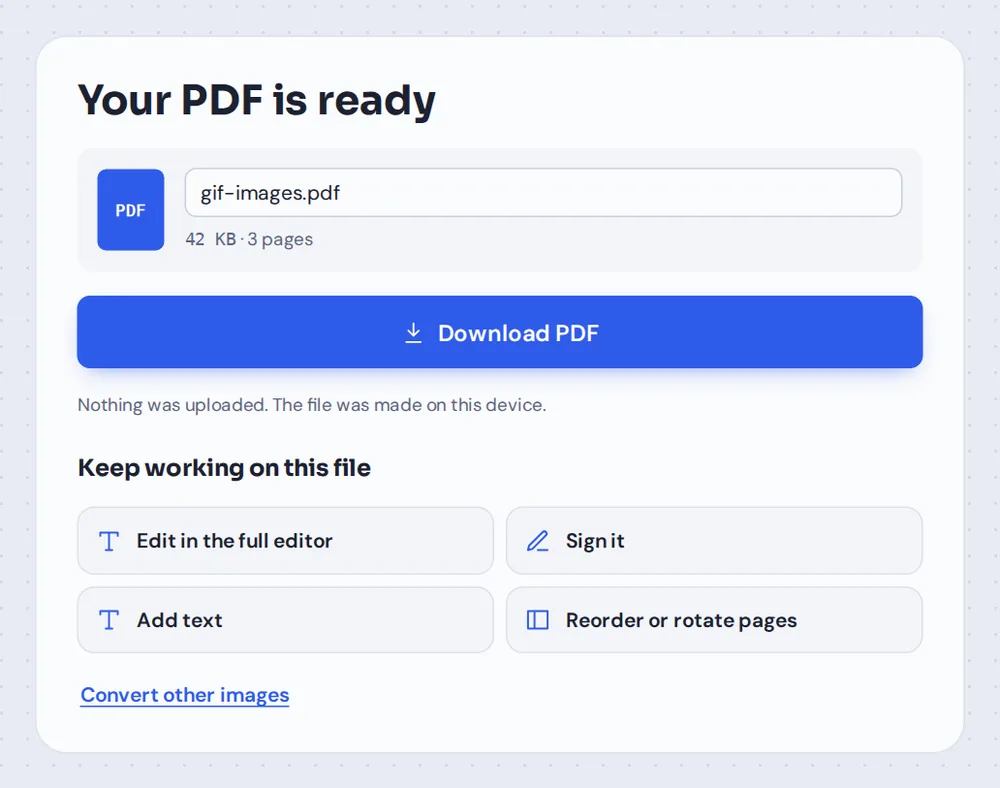
Convert and download
Click Convert to PDF, name the file and click Download PDF. There is no watermark, and the PDF can go straight into the editor.
How GIF to PDF Works, Including Animated GIFs
GIF is one of the oldest image formats on the web. It is still used for simple charts, diagrams, logos, e-cards and, of course, short animations. Older scanners and office systems sometimes save documents as GIF too.
A PDF page is still, so an animation cannot play in it. When you convert GIF to PDF here, the first frame of each animated GIF becomes its page. Still GIFs are converted as they are. Either way, the card you see before converting shows exactly what the page will look like.
Each GIF is placed in the PDF as a lossless image, pixel for pixel, so sharp lines and flat colors stay clean. Several GIFs can go into one PDF, one per page.
Still GIFs
Converted exactly as they are, one per page.
Animated GIFs
The first frame becomes the page.
Mixed files
GIFs, photos and other images together in one PDF.
What the GIF to PDF Converter Can Do
Simple steps, with the options you need.
Add images
From any device.
- No limit on images
Select as many GIFs as you need in one go.
- Mix image types
GIF, JPG, PNG and WebP can all go into the same PDF.
- Add more later
The Add more images card adds files without changing your order.
See the page first
No surprises with animations.
- Still preview
Cards show the first frame of an animated GIF, not the moving image.
- Lossless pages
Each GIF is placed pixel for pixel, with no blur.
- Transparency
See-through areas show as the white of the page.
Page layout
Ready for printing or reading on screen.
- Page size
A4 or Letter for printing, or the size of the image.
- Orientation
Automatic, or portrait or landscape for every page.
- Margin
No margin, small or large, with the image centred.
Keep working
The PDF opens in the full editor.
- Add text
Add a title, a caption or notes next to a chart.
- Sign it
Sign a form that was saved as a GIF.
- Reorder pages
Move or rotate single pages before you download.
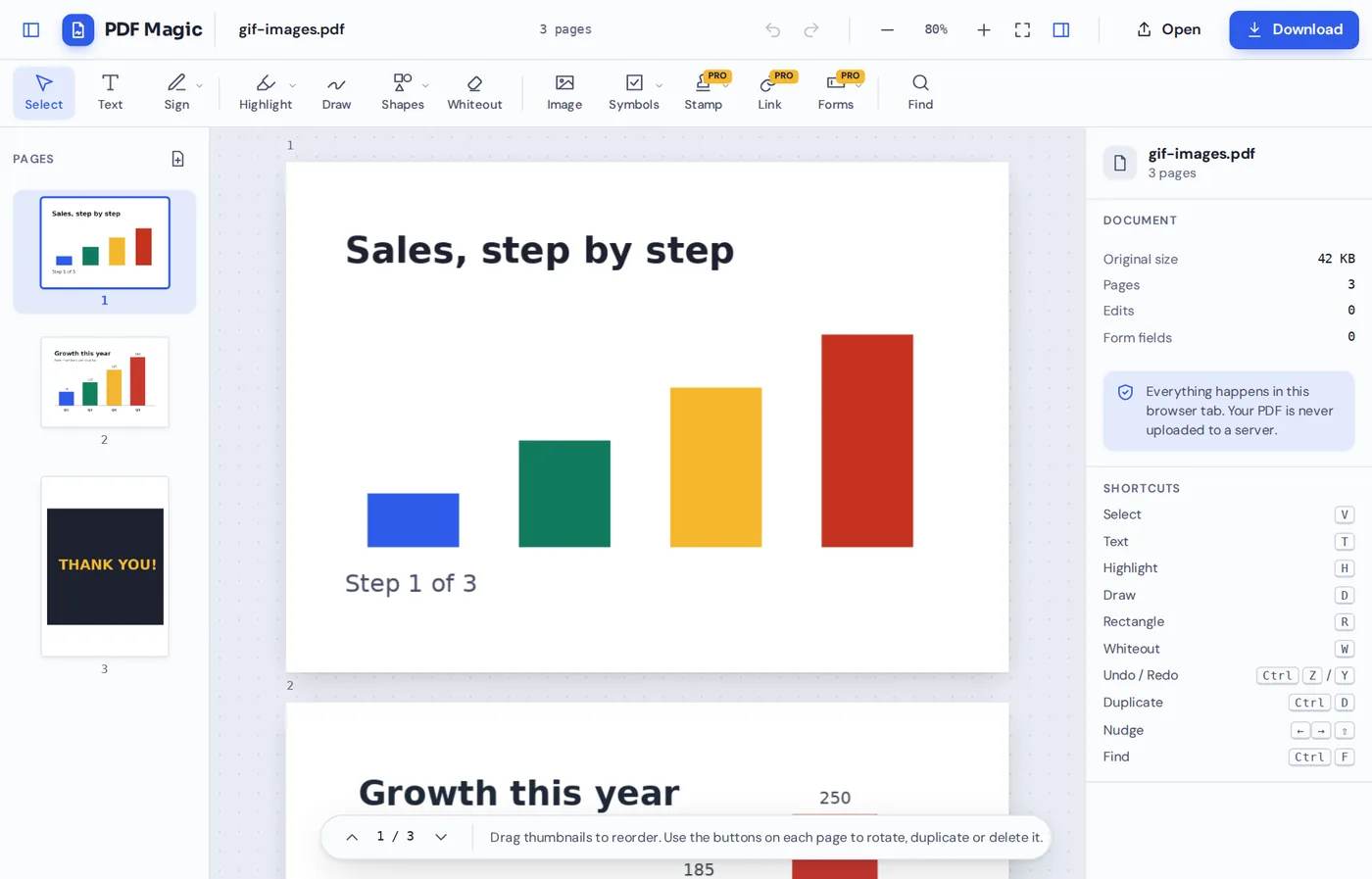
After you convert GIF to PDF, click Reorder or rotate pages or Edit in the full editor. Wide charts sit on landscape pages, and every page is in the sidebar, ready for captions or a new order.
What Happens to Each Kind of GIF
How GIF to PDF handles the GIFs you are most likely to have.
| In the PDF | |
|---|---|
| Still GIF image | One page with the image, pixel for pixel |
| Animated GIF | One page with the first frame |
| GIF with a transparent background | The image on white paper |
| Very small GIF, such as an icon | Scaled up to fit the page, or kept small with Same as the image |
| Scanned document saved as GIF | A normal PDF page you can sign or add text to |
Convert Files Without Uploading Them
Most online GIF to PDF converters upload your files to a server. PDF Magic reads and converts them inside your own browser tab, so they never leave your device.
There is no account and no copy on our side. Close the tab and nothing is left behind.
- 0files uploadedThey stay on your device.
- 0copies keptWe never see your files.
- 0installsIt runs in your browser.
GIF to PDF on iPhone, Android or Computer
- Windows
- Mac
- Linux
- Chromebook
- iPhone
- iPad
- Android
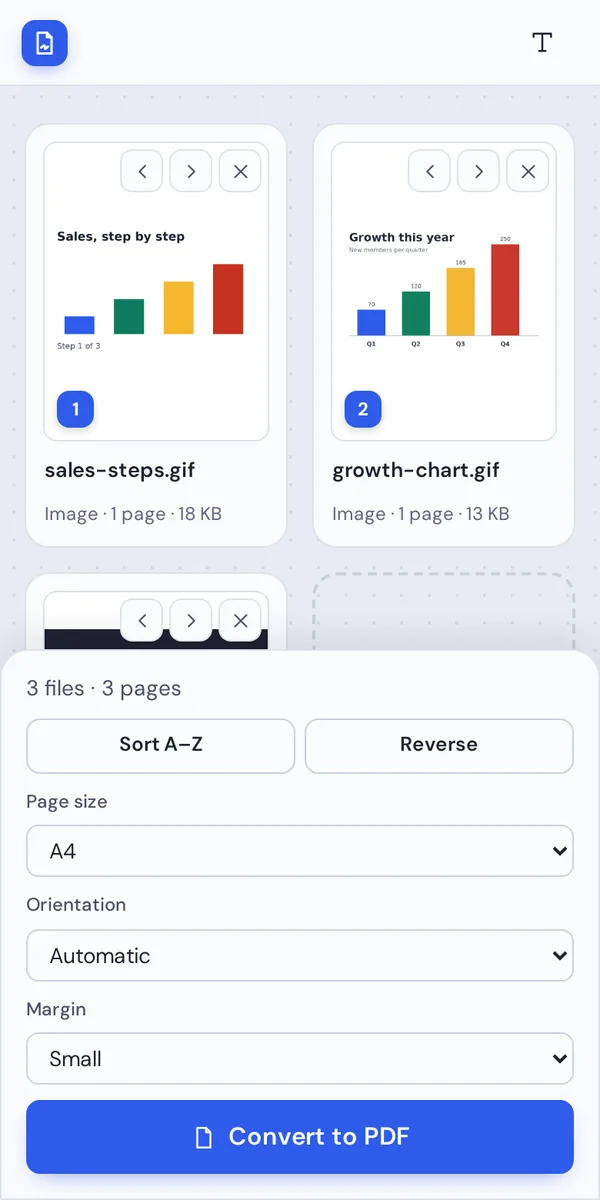
Open this page in your phone's browser, pick the GIFs from your files and tap Convert to PDF. The button stays at the bottom of the screen.
On a computer, drop the files from any folder. There is nothing to install.
When People Turn GIFs Into a PDF
Common reasons to put GIF images in a document.
Charts and reports
Charts exported as GIF, collected into a report.
Teaching slides
Diagrams and step-by-step animations as printable handouts.
E-cards
Greeting and thank-you cards kept or printed as a PDF.
Old scans
Documents that older scanners saved as GIF files.
Logos and artwork
Logos and simple graphics sent for print or review.
Team updates
Status charts and diagrams shared as one file.
Tips for Better GIF to PDF Results
- Check the first frameIf an animation starts on a blank frame, save the frame you want as an image first.
- Keep small GIFs smallChoose Same as the image so icons are not stretched across a page.
- Landscape for chartsAutomatic orientation puts wide charts on landscape pages.
- Use Sort A–ZName files 01, 02, 03 and sort them with one click.
- Add other formatsPhotos and screenshots can go into the same PDF.
- Name the fileRename the PDF before you download so it is easy to find later.
More Image and PDF Tools
Like GIF to PDF, they all run in the same private editor.
JPG to PDF
Photos and scans into one PDF.
PNG to PDF
Screenshots and graphics into one PDF.
WebP to PDF
Images saved from websites into a PDF.
Merge PDF
Join PDFs and images into one document.
Add text to PDF
Add titles and captions to any page.
Sign PDF
Sign the PDF you just made.
GIF to PDF: Frequently Asked Questions
Answers to what people ask before they convert GIF images.
How do I convert GIF to PDF?
Click Choose GIF images or drop your files on the tool at the top of this page. Put them in order, pick a page size and click Convert to PDF. Then click Download PDF. For an animated GIF, the first frame becomes the page.
Can I convert GIF to PDF for free?
Yes. Converting and downloading are free, with no account, no watermark and no limit on the number of images.
Can I convert GIF to PDF online?
Yes. The converter runs in your web browser on Windows, Mac, Linux and Chromebook, with nothing to install. Choose your GIF images at the top of this page to start.
How do I convert GIF to PDF on my phone?
Open this page in your phone's browser, tap Choose GIF images and pick them from your gallery or files. Tap Convert to PDF, then Download PDF. There is no app to install.
Can I convert GIF to PDF without Adobe Acrobat?
Yes. You do not need Acrobat or any other software. The converter runs in your browser, and the PDF you download opens in Acrobat, Preview, Chrome and every other PDF reader.
Is it safe to convert GIF to PDF online?
Yes. PDF Magic does not upload your images. They are turned into a PDF inside your browser tab and never sent to our servers, so nobody else sees them. Close the tab and nothing is left behind.
How do I convert GIF to PDF without losing quality?
Yes. Each GIF is placed in the PDF as a lossless image, pixel for pixel. Choose Same as the image as the page size if you do not want small GIFs scaled up to fill a page.
What is the easiest way to convert GIF to PDF?
Drop your GIF files on the tool above and click Convert to PDF. Animated GIFs need no extra step: the first frame is used, and the card shows you that frame before you convert.
Ready to Convert GIF to PDF?
No account, no upload and no watermark: choose your images at the top of this page.
Open the converterPDF Magic turns GIF images and animations into clean, still pages. Choose your files and convert GIF to PDF today.