
Create Fillable PDF Online
Create fillable PDF forms by dragging text boxes and checkboxes onto any page.
- No upload
- No watermark
- Real form fields
- Works in every reader
Create fillable PDF forms online by dragging fields onto any page. Add text boxes, larger comment boxes and checkboxes, give each one a name, and download a form that people can fill in with any PDF reader. Your file is never uploaded.
How to Create Fillable PDF Forms in 4 Steps
It takes a few minutes to create fillable PDF forms from a one-page flat form.
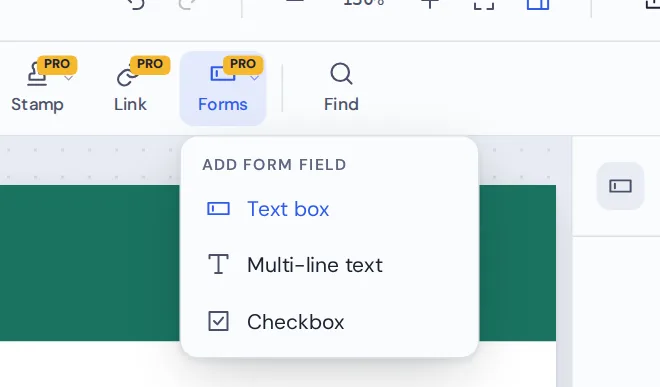
Choose a field type
Open your form, then pick Text box, Multi-line text or Checkbox from the Forms menu.

Drag over each blank
Drag a box over each line or square where people should answer. The field appears as a tinted box.
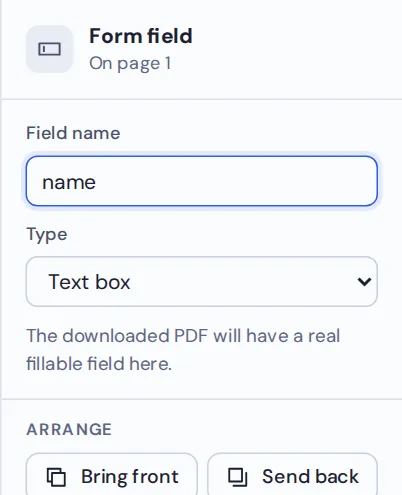
Name your fields
Give each field a clear name, like email or phone. Names help when answers are collected later.

Download and test
Download the form, then open it again to check that every field can be filled in.
Create Fillable PDF Forms From Any Flat Form
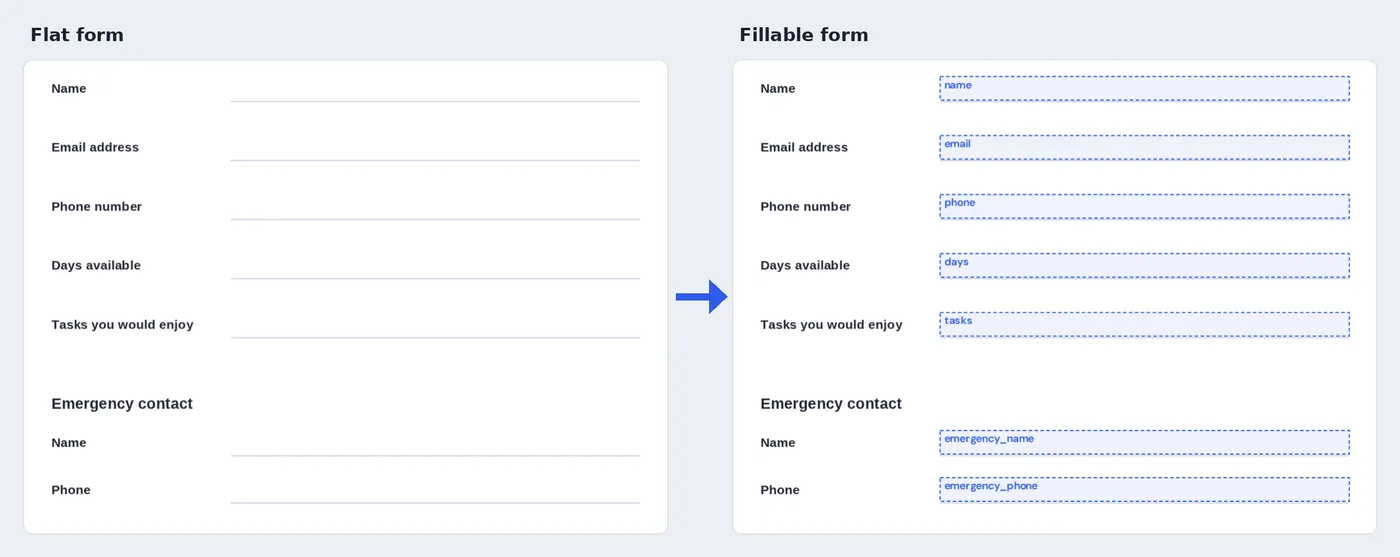
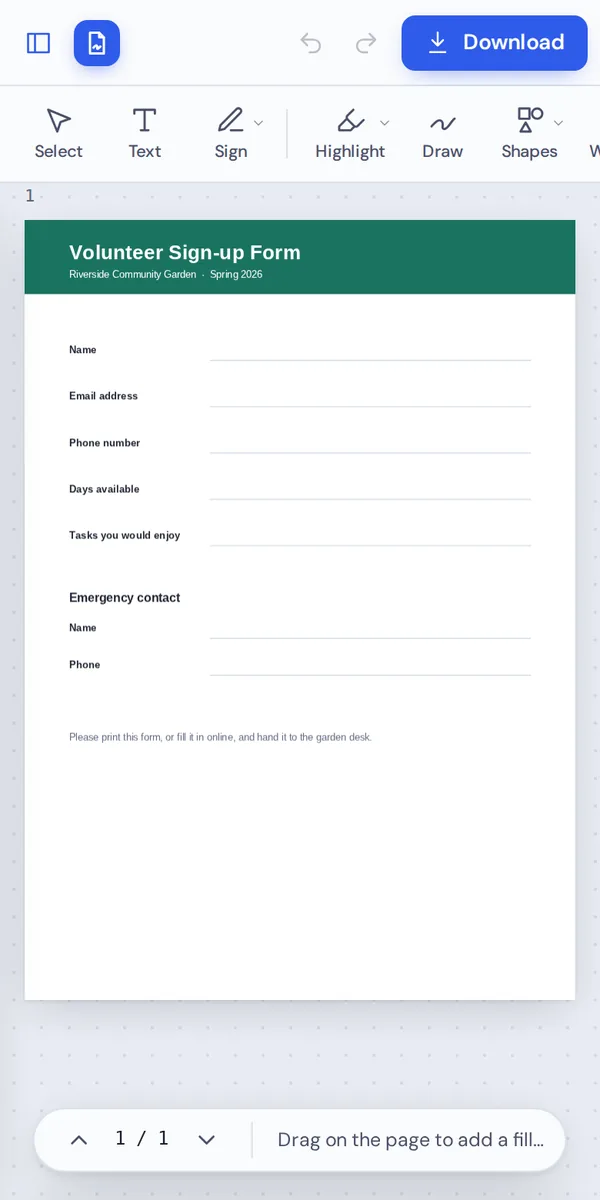
A printed-style volunteer form turned into a form with seven fillable fields.
What Does It Mean to Create Fillable PDF Forms?
A flat PDF form only looks like a form. People have to print it, write on it and scan it, or type over it with an editor. A fillable form has real fields built in, so anyone can click a box and type.
When you create fillable PDF forms with PDF Magic, each box you draw becomes a standard form field. It works in Acrobat, Chrome, Edge, Firefox, Preview and most phone PDF apps, with nothing extra to install.
Creating form fields is part of PDF Magic Pro. You can try it for free: build your form first, and you are only asked to upgrade when you download.
Text box
A single line for names, emails, dates and numbers.
Multi-line text
A larger box that wraps text for comments and addresses.
Checkbox
A box people can tick and untick.
Everything You Can Do When You Create Fillable PDF Forms
Select any field to change it in the side panel.
Add fields
Three field types cover most forms.
- Text box
For short answers on one line.
- Multi-line text
For longer answers that wrap onto new lines.
- Checkbox
For yes or no questions and lists of options.
Set up each field
Make the form easy to use.
- Field name
Every field gets a name. Change it to something clear, like first_name.
- Change the type
Switch a field between text box, multi-line text and checkbox.
- Unique names
PDF Magic keeps names unique, so answers never clash.
Arrange
Line fields up with the page.
- Move and resize
Drag a field or pull its handles to fit the line.
- Duplicate
Press Ctrl+D to copy a field for the next line.
- Delete
Select a field and press Delete.
Download and test
Make sure it works.
- Real fields
Fields are saved as standard PDF form fields.
- Test it here
Open the downloaded form in PDF Magic and type into each field.
- Undo
Press Ctrl+Z to step back while you build.
Other Tools to Use When You Create Fillable PDF Forms
They open the same document in the same editor, so nothing is uploaded.
Fill PDF forms
Test your form by filling it in.
Add text to PDF
Add labels and instructions.
Add link to PDF
Link to your privacy policy or website.
Add image to PDF
Add your logo to the form.
Sign PDF
Sign a completed form.
PDF Editor
Every editing tool in one place.
Create Fillable PDF Forms Without Uploading Them
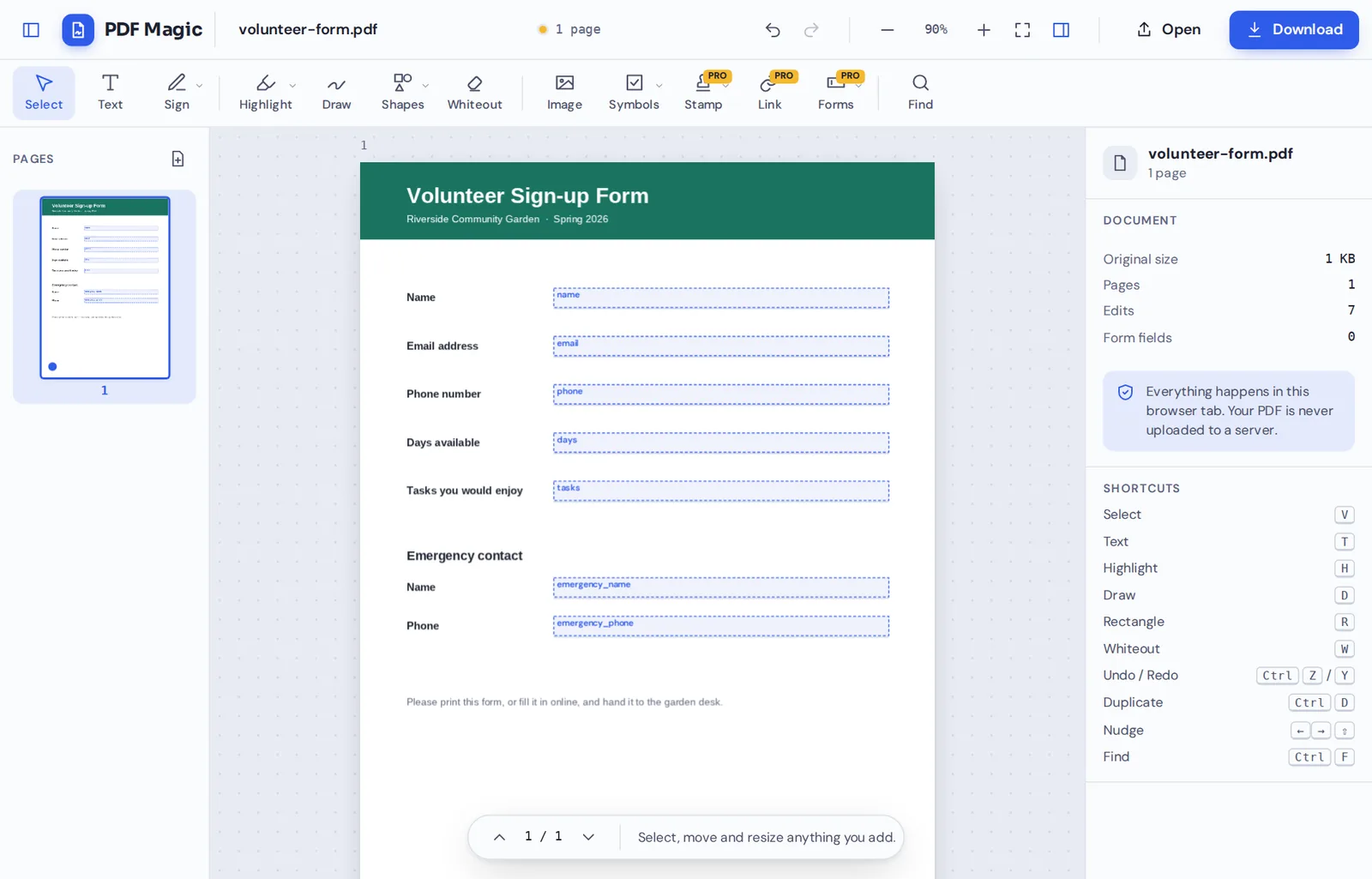
When you create fillable PDF forms here, the document is opened and changed inside your own browser tab. It is never sent to our servers.
That makes it a safe choice for HR forms, patient forms and internal templates.
- 0files uploadedYour form stays on your device.
- 0watermarksYour form looks like yours.
- 0installsIt runs in your browser.
Works on iPhone, Android and Computer
- Windows
- Mac
- Linux
- Chromebook
- iPhone
- iPad
- Android
It works in any modern browser, with nothing to install. Building a form is easiest on a computer or tablet with a larger screen.
The forms you make can be filled in on any device, including phones, in the PDF reader people already have.
When People Use This Tool
Any form that people keep printing, writing on and scanning.
Sign-up forms
Volunteers, members and event guests.
HR forms
Leave requests, onboarding and expenses.
Patient forms
Intake and consent forms for clinics.
School forms
Enrollment and permission forms.
Order forms
Products, quantities and delivery details.
Rental applications
Tenant details and references.
Pro Tips for Faster Results
- Size fields generouslyA field a little bigger than the line is easier to click.
- Use clear namesfirst_name is easier to work with than field_7.
- Duplicate for rowsMake one field, then press Ctrl+D for the next line.
- Checkboxes for choicesUse checkboxes instead of asking people to type yes or no.
- Zoom in to alignLine fields up with the printed lines.
- Test before you sendDownload the form and fill it in once yourself.
Create Fillable PDF: Frequently Asked Questions
Answers to what people ask most before they start.
How do I create fillable PDF?
Open your PDF, choose a field type from Forms and drag a box over each blank. Name each field, then click Download. The file works in every PDF reader.
Can I create fillable PDF for free?
Yes. During our launch every tool is free, with no account and no watermark.
Can I create fillable PDF online?
Yes. PDF Magic runs in your web browser, so you can create fillable PDF forms online on Windows, Mac, Linux or a Chromebook with nothing to install. Open your file in the tool at the top of this page to start.
How do I create fillable PDF on my phone?
Open this page in your phone's browser, tap Choose PDF file and pick your document. Choose a field type and drag a box over each blank. A larger screen makes this easier. Then tap Download. There is no app to install.
Can I create fillable PDF without Adobe Acrobat?
Yes. You do not need Acrobat or any other software. PDF Magic works in your browser, and the file you download opens in Acrobat, Preview, Chrome and every other PDF reader.
Is it safe to create fillable PDF online?
Yes. PDF Magic does not upload your file. It is opened and changed inside your browser tab and never sent to our servers, so nobody else sees it. Close the tab and nothing is left behind.
How do I create fillable PDF without losing quality?
Fields are added as real form fields on top of the page, and the page itself is not changed.
What is the easiest way to create fillable PDF?
Open the form above, drag a text box over each line and a checkbox over each square, then download.
Ready to Create Fillable PDF Forms?
No upload and no watermark: open your form above and start adding fields.
Open the editorPDF Magic is the easy, private way to build forms people can fill in. Open your file and create fillable PDF forms today.