
Add Checkmark to PDF Online Free
Add checkmark to PDF boxes, lists and forms with one click, right in your browser.
- No upload
- No watermark
- No sign-up
- Tick box after box
Add checkmark to PDF forms online for free, right in your browser. Click a box and a clean checkmark appears, then keep clicking to tick the next one. Add crosses and dots too, in any color, and your file is never uploaded.
How to Add Checkmark to PDF Forms in 4 Steps
It takes less than a minute to add checkmark to PDF checklists from top to bottom.
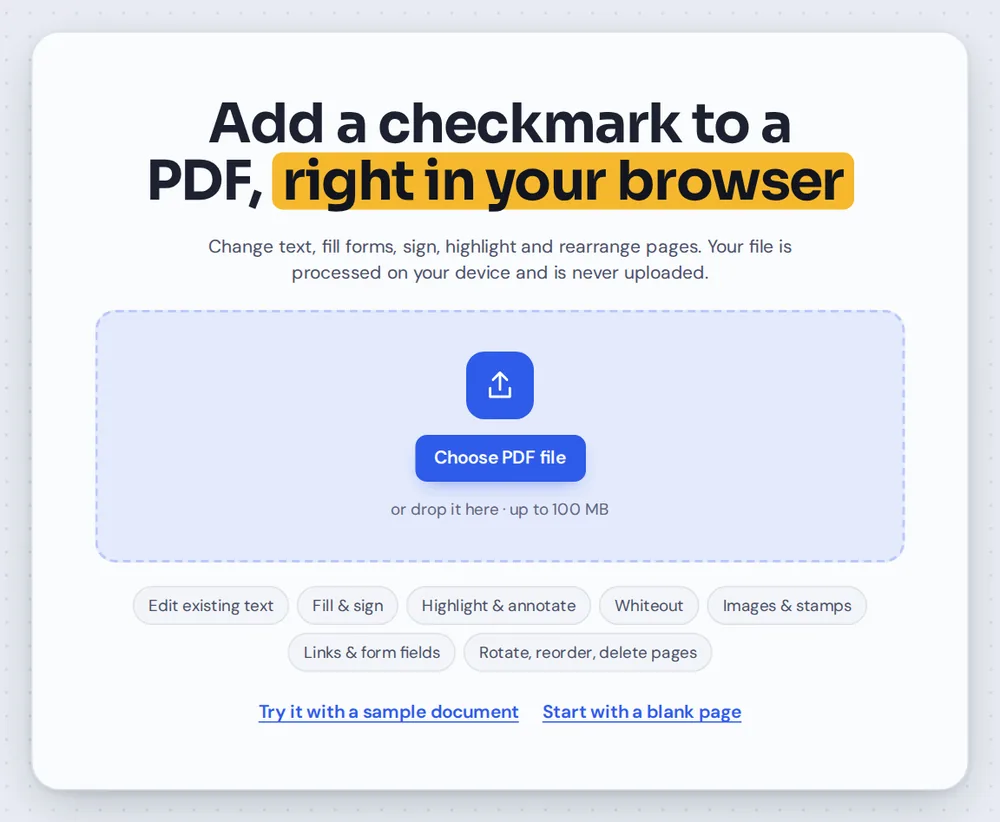
Open your PDF
Click Choose PDF file or drag your form onto the editor above. The checkmark is already selected.
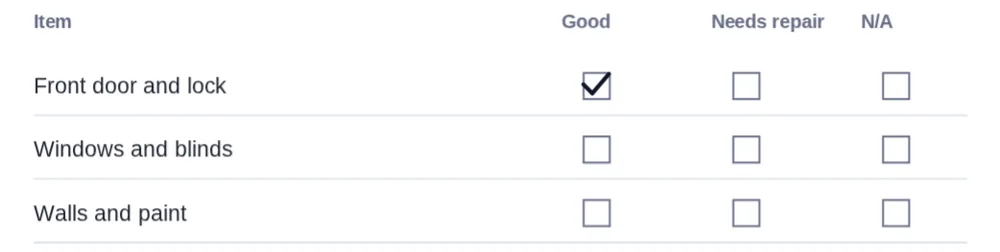
Click the first box
Click the middle of a box and a checkmark appears there. The tool stays ready, so you can click the next box straight away.
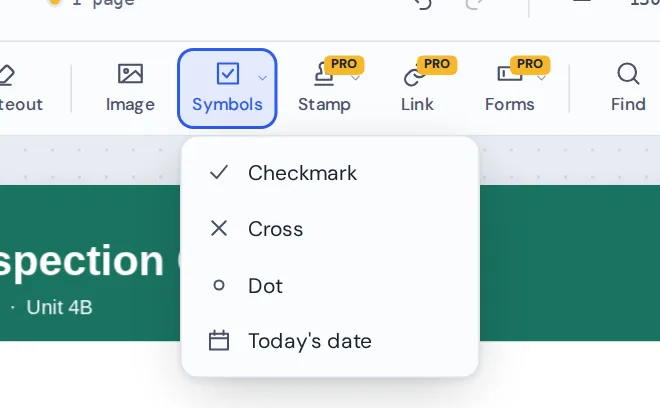
Switch symbols when you need to
Open Symbols in the toolbar to pick a cross, a dot or today's date. Press Esc when you are done ticking.
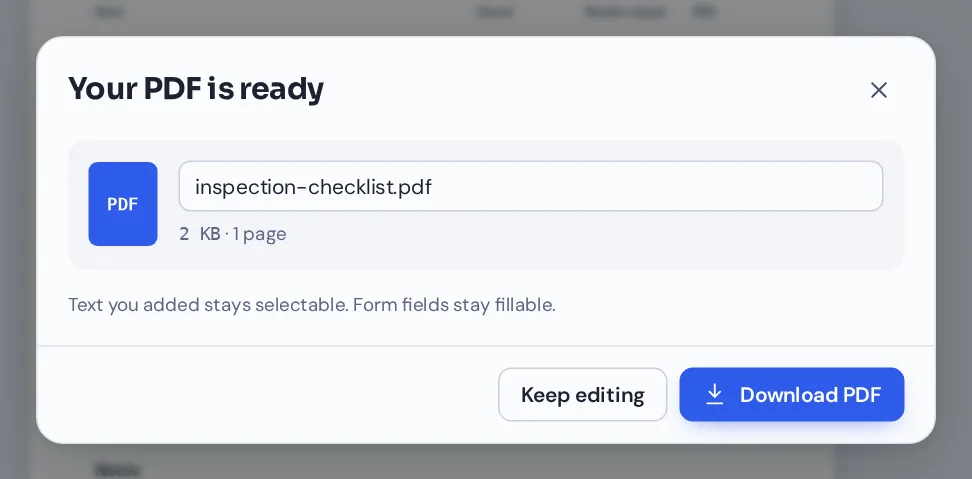
Download your file
Click Download and name your file. The checkmarks print sharply and open in any PDF reader.
Add Checkmark to PDF Checklists, Box After Box
A move-in inspection checklist ticked in eight clicks, with a cross for the one item that does not apply.
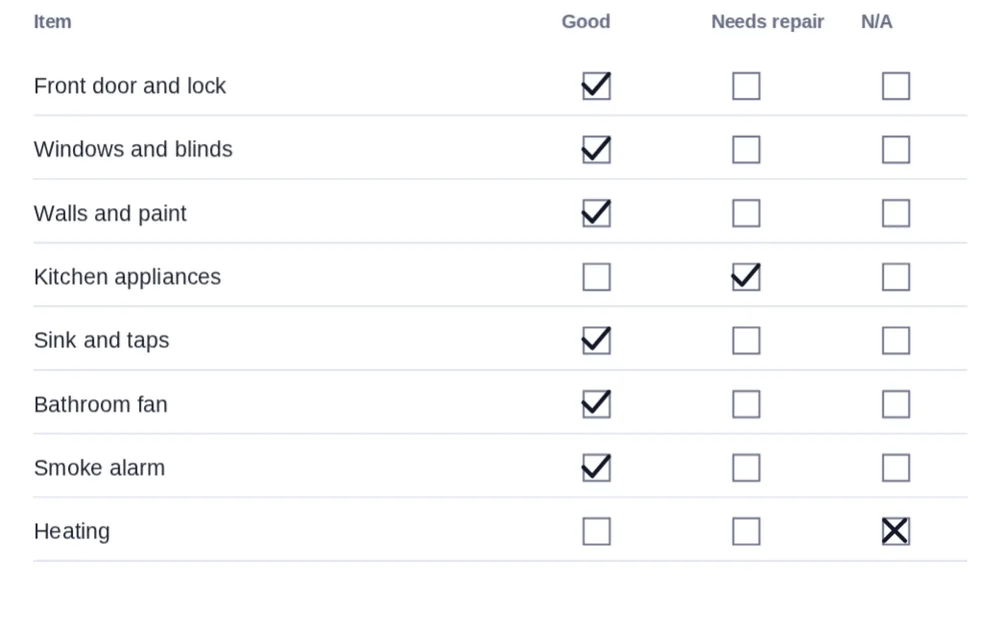
Add Checkmark to PDF Symbols or Tick Fillable Checkboxes?
Some PDF forms have real checkboxes built in. Click one of those with the Select tool and it ticks itself, and the tick is saved into the form field.
Many forms are flat, though. They show empty squares printed on the page, with nothing to click. That is where you add checkmark to PDF pages as a symbol: a crisp tick placed exactly on top of the printed box.
The same tool works on scanned forms, because the symbol is simply placed on top of the page.
Checkmark symbol
A tick placed on any spot of any page. Works on flat and scanned forms.
Fillable checkbox
A real form field. Click it to tick it. See Fill PDF forms.
Cross and dot
For forms that ask you to mark boxes with an X or a dot.
Everything You Can Do When You Add Checkmark to PDF Pages
After you add checkmark to PDF boxes, select any symbol to change it.
Place
Tick boxes quickly.
- Box after box
The tool stays ready after each click, so you can tick a whole column in a row.
- Three symbols
Checkmark, cross and dot, all from the Symbols menu.
- Stop any time
Press Esc or pick another tool when you are done.
Style
Match the form or stand out.
- Color
Black, blue, green, red and more, or any custom color.
- Thickness
Make the lines thinner or bolder, from 0.5 to 16 points.
- Opacity
Fade a symbol if you want a softer look.
Adjust
Get every tick in the right spot.
- Move and resize
Drag a symbol or pull its corners. Use the arrow keys to nudge it.
- Duplicate
Press Ctrl+D to copy a symbol you have styled.
- Undo
Press Ctrl+Z to remove the last tick.
Finish the form
Checklists rarely end with ticks.
- Add notes
Type comments with the Text tool.
- Sign and date
Add your signature and today's date at the bottom.
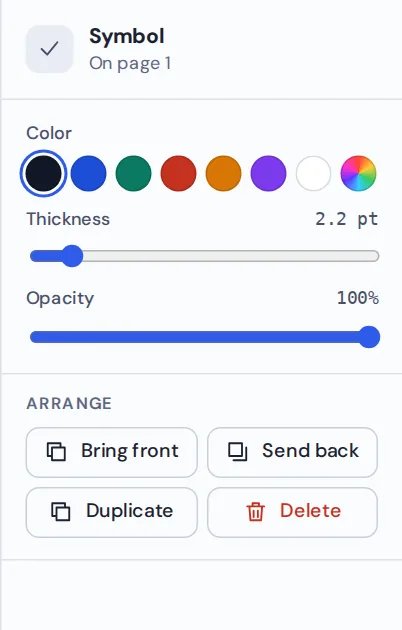
Select a checkmark to change its color, thickness or opacity. Styled one? Press Ctrl+D to copy it and add checkmark to PDF boxes in the same style.
Related Tools in the Same Editor
They open the same form in the same editor, so nothing is uploaded.
Fill PDF forms
Type into fillable fields and tick real checkboxes.
Add the date
Place today's date in one click.
Sign PDF
Draw, type or upload your signature.
Add text to PDF
Type notes and answers on the page.
Add initials
Initial every page of an agreement.
PDF Editor
Every editing tool in one place.

Private by Design, With No Upload
When you add checkmark to PDF files here, the form is opened and changed inside your own browser tab. It is never sent to our servers.
That makes it a safe choice for medical questionnaires, application forms and inspection reports.
- 0files uploadedYour form stays on your device.
- 0watermarksYour form looks like yours.
- 0accounts neededOpen the page and start.
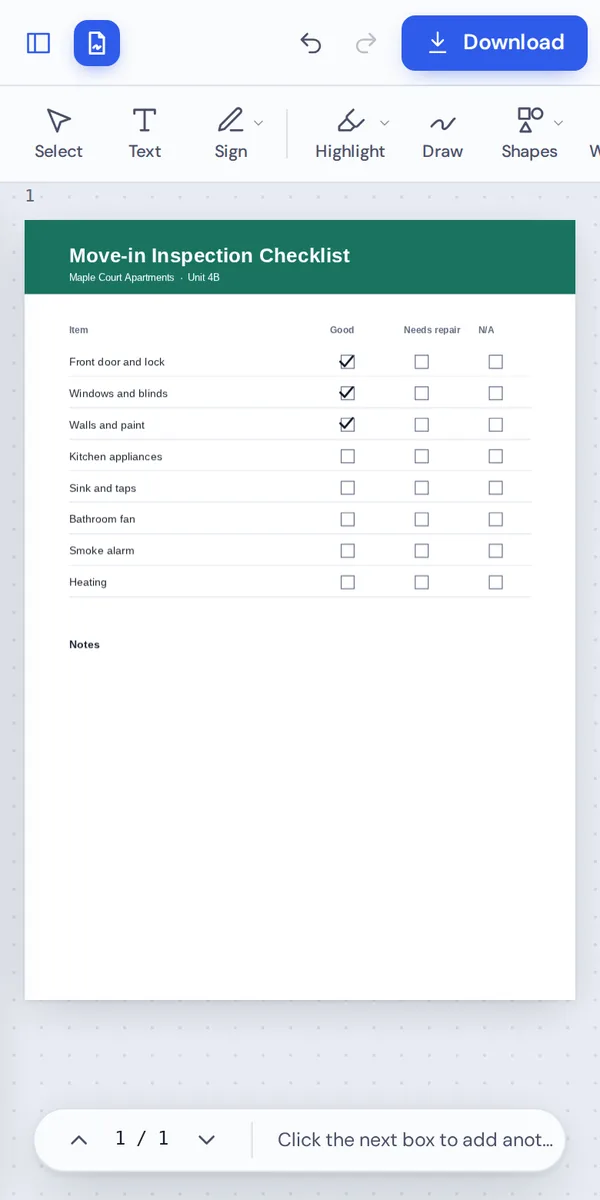
Works on iPhone, Android and Computer
- Windows
- Mac
- Linux
- Chromebook
- iPhone
- iPad
- Android
It works in any modern browser, with nothing to install. On a phone, tap each box to tick it.
Doing an inspection on site? Open the checklist on your phone, tick boxes as you walk around and send it before you leave.
When People Use This Tool
People add checkmark to PDF forms wherever a printed box expects a tick.
Inspection checklists
Move-in, move-out and maintenance checks.
Health questionnaires
Yes or no questions on medical forms.
School forms
Permission options and consent boxes.
Surveys
Paper-style surveys and feedback forms.
Contracts
Options and terms that need ticking.
Order forms
Products, sizes and delivery options.
Pro Tips for Faster Results
- Zoom in on small boxesClick the middle of each box to add checkmark to PDF forms dead center.
- Tick in a rowThe tool stays ready, so work down a column without stopping.
- Check for real checkboxesIf a box ticks when you click it with Select, it is a fillable field.
- Use color for clarityA blue tick stands out on a black-and-white form.
- Undo a wrong tickCtrl+Z removes the last one.
- Sign at the endAdd your signature and the date once every box is done.
Add Checkmark to PDF: Frequently Asked Questions
Answers to what people ask most before they start.
How do I add checkmark to PDF?
Open your PDF, choose Symbols, pick the checkmark and click each box you want to tick. You can also add a cross or a dot. Click Download to save.
Can I add checkmark to PDF for free?
Yes. Adding checkmarks and downloading are free, with no account and no watermark.
Can I add checkmark to PDF online?
Yes. PDF Magic runs in your web browser, so you can add checkmarks to PDF files online on Windows, Mac, Linux or a Chromebook with nothing to install. Open your file in the tool at the top of this page to start.
How do I add checkmark to PDF on my phone?
Open this page in your phone's browser, tap Choose PDF file and pick your document. Choose the checkmark in Symbols and tap each box. Then tap Download. There is no app to install.
Can I add checkmark to PDF without Adobe Acrobat?
Yes. You do not need Acrobat or any other software. PDF Magic works in your browser, and the file you download opens in Acrobat, Preview, Chrome and every other PDF reader.
Is it safe to add checkmark to PDF online?
Yes. PDF Magic does not upload your file. It is opened and changed inside your browser tab and never sent to our servers, so nobody else sees it. Close the tab and nothing is left behind.
How do I add checkmark to PDF without losing quality?
Checkmarks are drawn as clean vector lines, so they stay sharp in print and at any zoom.
What is the easiest way to add checkmark to PDF?
Open the file above and click a box. The checkmark tool is already selected, and each click adds another one.
Ready to Add Checkmark to PDF Forms?
No account, no upload and no watermark: open your form above and start ticking.
Open the editorPDF Magic is the easy, private way to complete checklists online. Open your form and add checkmark to PDF boxes today.