
Add Initials to PDF Online Free
Add initials to PDF pages once, or on every page in one click, right in your browser.
- No upload
- No watermark
- No sign-up
- Every page in one click
Add initials to PDF pages online for free. Draw, type or upload your initials, place them in the first box, then add them to every other page in one click. There is no upload, no sign-up and no watermark.
How to Add Initials to PDF Pages in 4 Steps
It takes less than a minute to add initials to PDF agreements, however long they are.
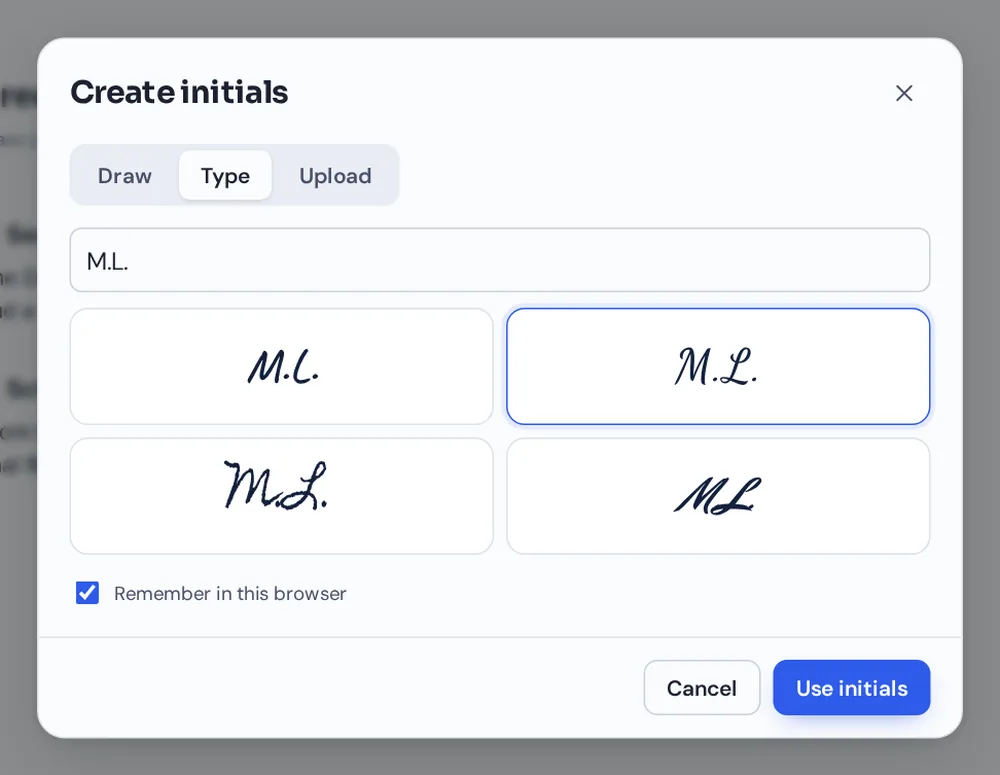
Create your initials
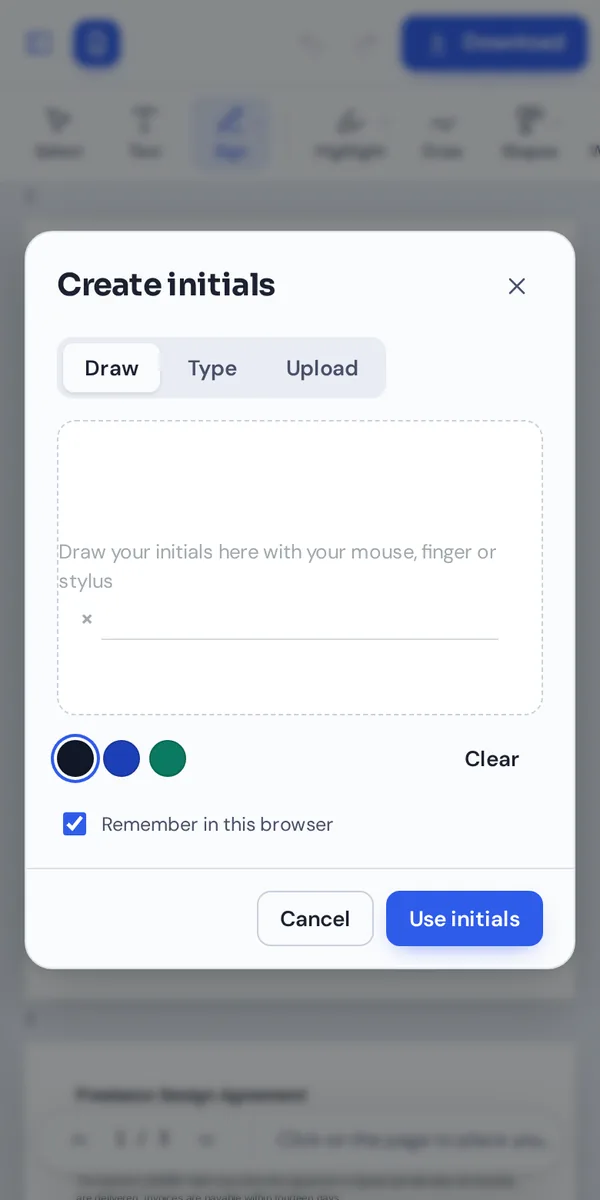
Open your document and the initials window appears. Draw them, type them in a handwriting style, or upload a photo.
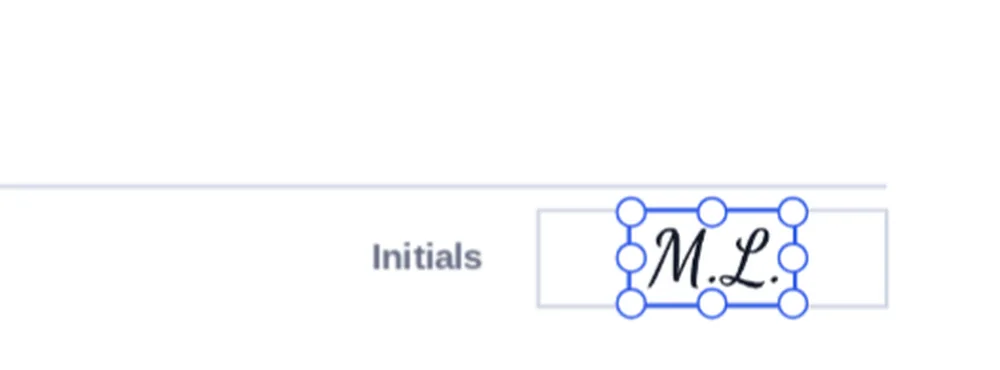
Place them once
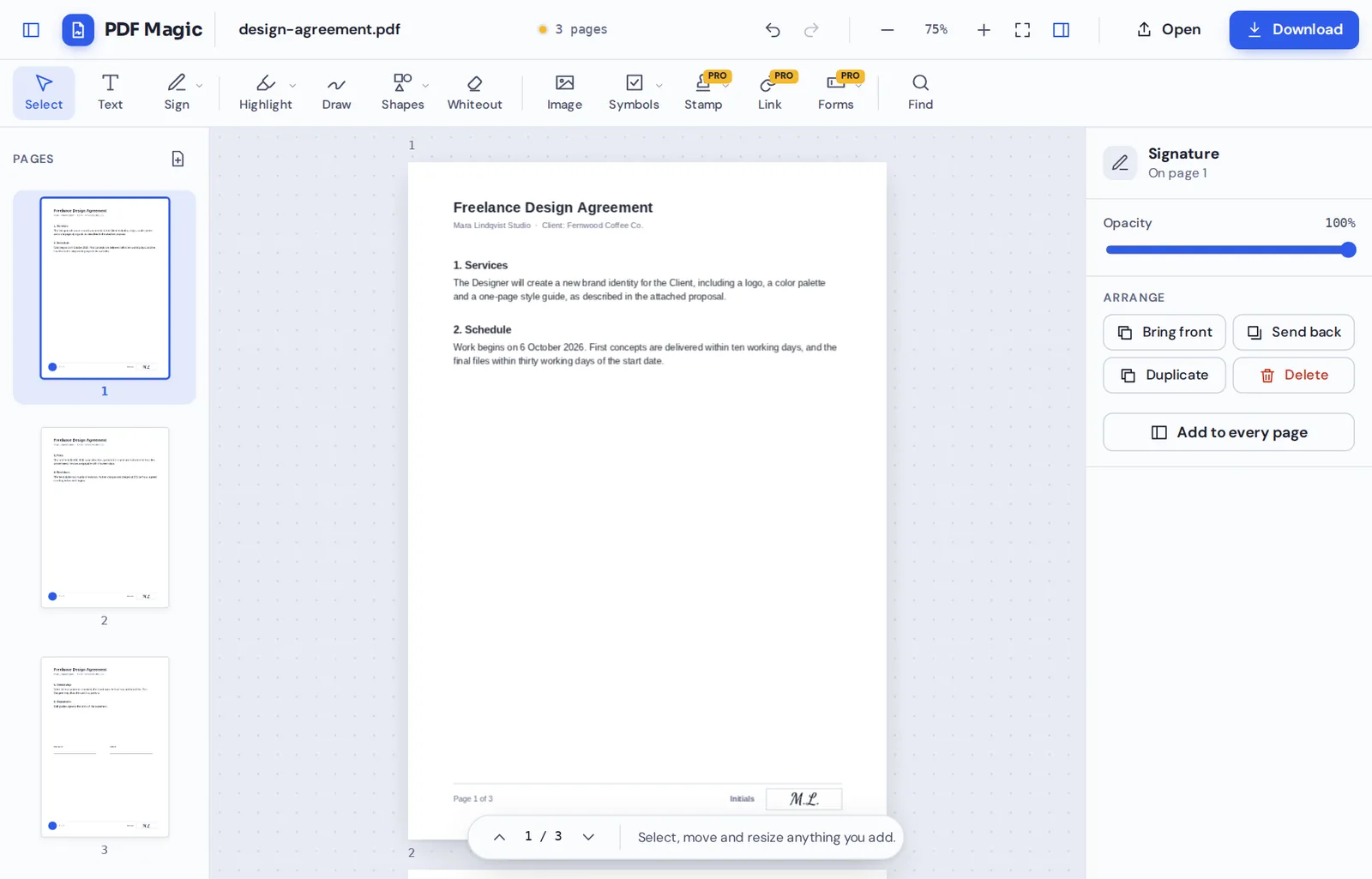
Click the initials box on the first page. Drag the corners so the initials fit the box.
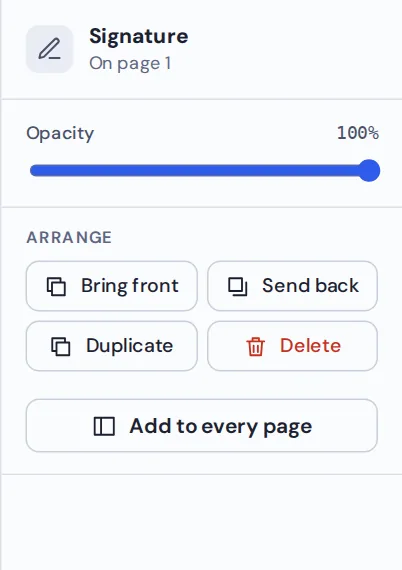
Add to every page
With the initials selected, click Add to every page in the side panel. They appear in the same spot on every page.
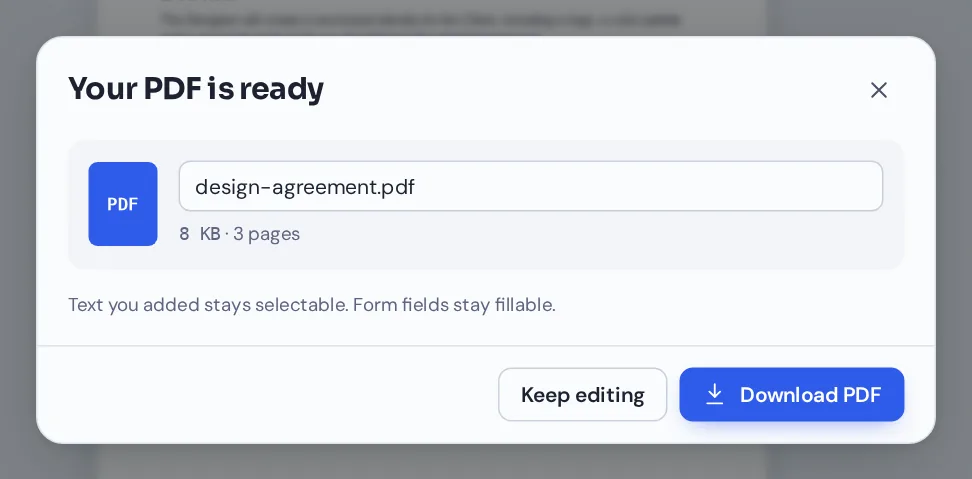
Download your file
Click Download and name your file. Your initials appear on every page in any PDF reader.
Add Initials to PDF Agreements on Every Page
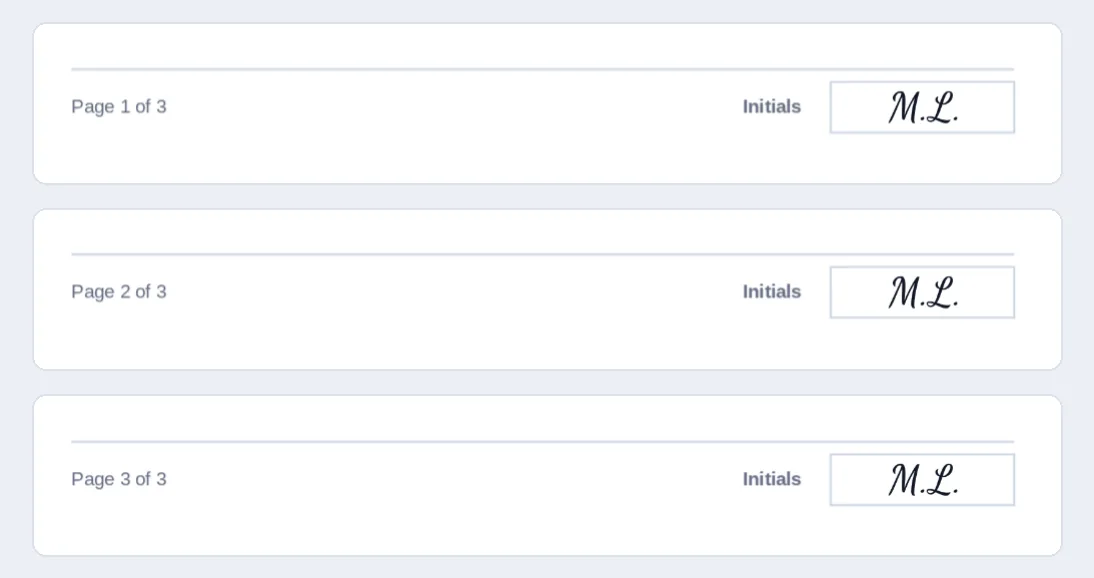
A three-page design agreement with the same initials in the box at the foot of each page, placed with one click.
Why Contracts Ask You to Add Initials to PDF Pages
Initials on each page show that you have read every page, not just the one you signed. They also make it harder for someone to swap a page afterwards. Leases, loan documents and service agreements often ask for them.
When you add initials to PDF pages with PDF Magic, your initials are placed as an image, just like a handwritten mark on paper. They look the same on screen and in print.
You still sign the last page as usual. Use the Sign tool for your full signature and the date.
Initials
A short mark on each page to show you have read it.
Signature
Your full signature, usually on the last page.
Date
Today's date next to your signature.
Everything You Can Do When You Add Initials to PDF Files
Your initials work like your signature, with one extra shortcut.
Create
Three ways to make your initials.
- Draw
Draw them with a mouse, finger or stylus in black, blue or green ink.
- Type
Type them and choose one of four handwriting styles.
- Upload
Upload a photo of your initials on white paper. The background is removed for you.
Place on every page
The quickest way to initial a long document.
- Place once
Put your initials in the box on the first page and size them to fit.
- Add to every page
One click copies them to the same spot on every other page.
- Adjust any page
Move a single copy if a page has its box somewhere else.
Reuse
Save time next time.
- Remembered in your browser
Keep your initials on this device and pick them from the Sign menu.
- Private to you
Saved initials stay on your device and are never sent to us.
Change your mind
Nothing is final until you download.
- Undo
Press Ctrl+Z to remove initials from every page again.
- Delete one
Select a single copy and press Delete.
Other Tools to Use When You Add Initials to PDF Documents
They open the same document in the same editor, so nothing is uploaded.
Sign PDF
Add your full signature on the last page.
Add the date
Place today's date next to your signature.
Fill PDF forms
Type into the fillable fields.
Add checkmarks
Tick the options in the agreement.
Add text to PDF
Type your name and address.
PDF Editor
Every editing tool in one place.
Private by Design, With No Upload
When you add initials to PDF files here, the document and your initials stay inside your own browser tab. Nothing is sent to our servers.
Saved initials are kept only in this browser. Remove them from the Sign menu at any time, or untick "Remember in this browser" on a shared computer.
- 0files uploadedYour PDF stays on your device.
- 0initials on our serversOnly you can see them.
- 0accounts neededOpen the page and start.
Works on iPhone, Android and Computer
- Windows
- Mac
- Linux
- Chromebook
- iPhone
- iPad
- Android
It works in any modern browser, with nothing to install. On a phone or tablet, draw your initials with your finger for the most natural result.
Got a lease to initial while you are out? Open it on your phone, add initials to PDF pages in seconds and send it back.
When People Use This Tool
People add initials to PDF documents that have a small box at the foot of each page.
Leases
Initial each page of a rental agreement.
Service agreements
Freelance, consulting and supplier contracts.
Loan documents
Initial each page and each changed clause.
Employment contracts
Offer letters and policy acknowledgements.
Consent forms
Initial each section you agree to.
Changes to a contract
Initial next to a correction to show you accept it.
Pro Tips for Faster Results
- Size them on page oneFit the initials to the first box before copying them to every page.
- Check odd pagesIf one page has its box elsewhere, drag that copy into place.
- Draw slowlyA slower hand gives smoother initials.
- Keep them savedSaved initials are one click away next time.
- Sign the last pageAdd your full signature and the date where the contract asks.
- Undo anythingCtrl+Z removes the copies from every page again.
Add Initials to PDF: Frequently Asked Questions
Answers to what people ask most before they start.
How do I add initials to PDF?
Open your PDF, choose Create initials from the Sign menu, draw or type them, and click the page to place them. Use Add to every page to repeat them, then click Download.
Can I add initials to PDF for free?
Yes. Adding initials and downloading are free, with no account and no watermark.
Can I add initials to PDF online?
Yes. PDF Magic runs in your web browser, so you can add initials to PDF files online on Windows, Mac, Linux or a Chromebook with nothing to install. Open your file in the tool at the top of this page to start.
How do I add initials to PDF on my phone?
Open this page in your phone's browser, tap Choose PDF file and pick your document. Draw your initials with your finger and tap the page to place them. Then tap Download. There is no app to install.
Can I add initials to PDF without Adobe Acrobat?
Yes. You do not need Acrobat or any other software. PDF Magic works in your browser, and the file you download opens in Acrobat, Preview, Chrome and every other PDF reader.
Is it safe to add initials to PDF online?
Yes. PDF Magic does not upload your file. It is opened and changed inside your browser tab and never sent to our servers, so nobody else sees it. Close the tab and nothing is left behind.
How do I add initials to PDF without losing quality?
Initials are added at high resolution over the page, and the rest of the document is unchanged.
What is the easiest way to add initials to PDF?
Create your initials once, place them, then click Add to every page. They appear in the same spot on every page.
Ready to Add Initials to PDF Pages?
No account, no upload and no watermark: open your document above and initial every page in one click.
Open the editorPDF Magic is the easy, private way to initial a contract. Open your file and add initials to PDF pages today.