
PDF Editor for Android – No App Needed
A free PDF editor for Android that works in Chrome. Edit, sign and fill PDFs with no app to install.
- No app to install
- No upload
- No watermark
- Works in Chrome
Open a PDF above to edit it on your Android phone or tablet. This editor changes text, adds signatures, covers details and fixes pages right in Chrome. Your file stays on your phone, and the download has no watermark.
How to Use the PDF Editor for Android
No Play Store download, no account and no ads in your document.
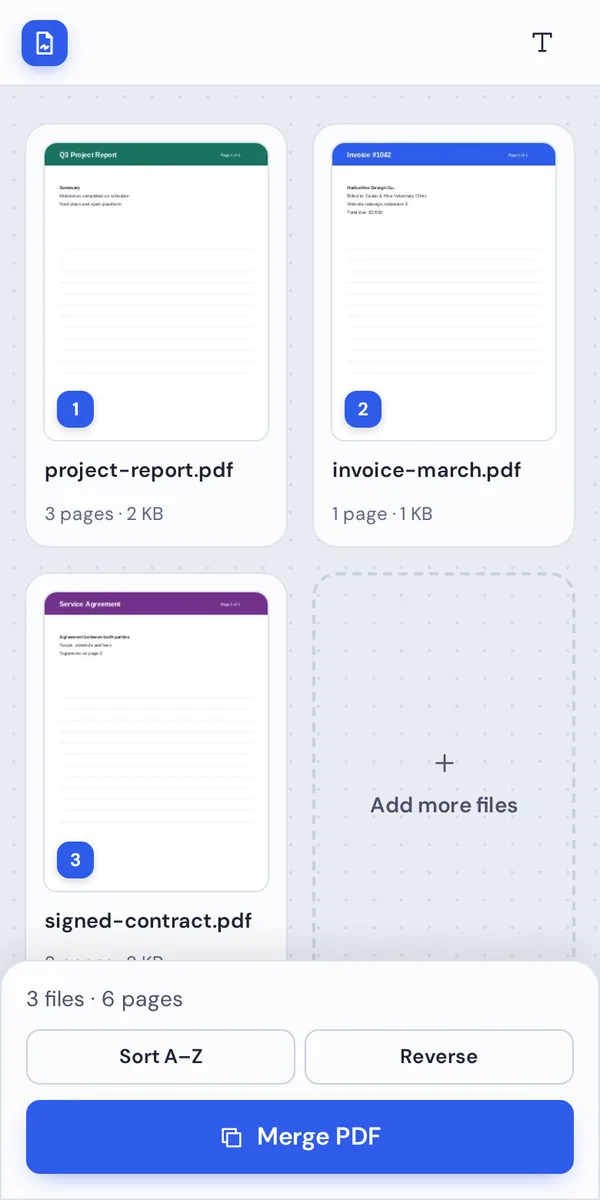
Open your PDF
Tap Choose PDF file and pick the document from Downloads, Google Drive or any folder on your phone.
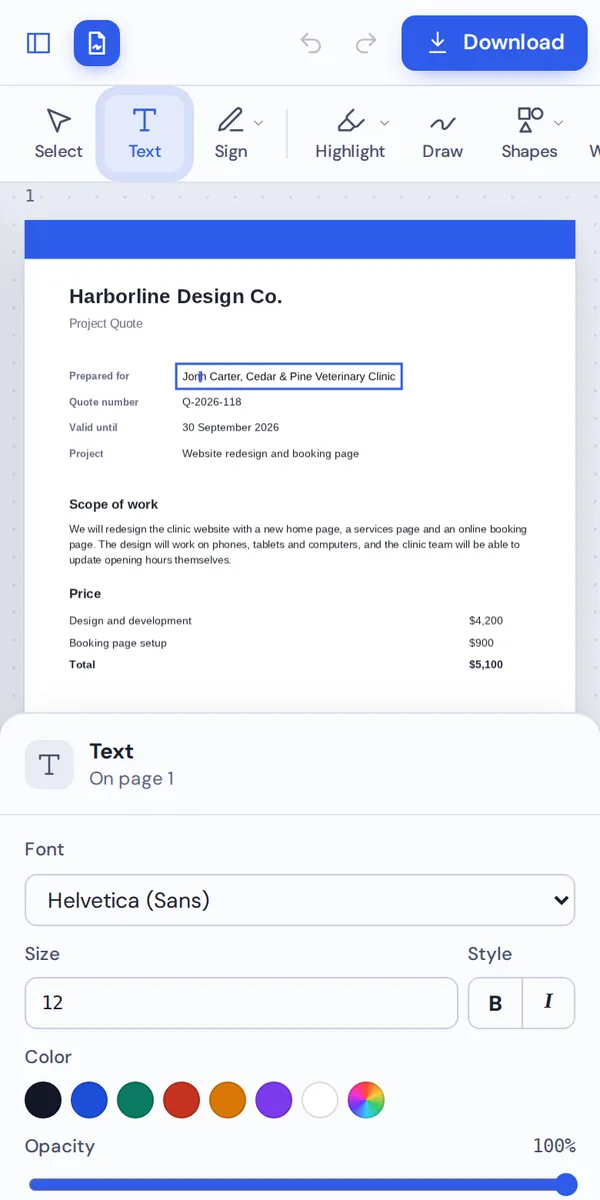
Change the text
Tap a line to retype it, or choose Text to type anywhere. The keyboard opens straight away.
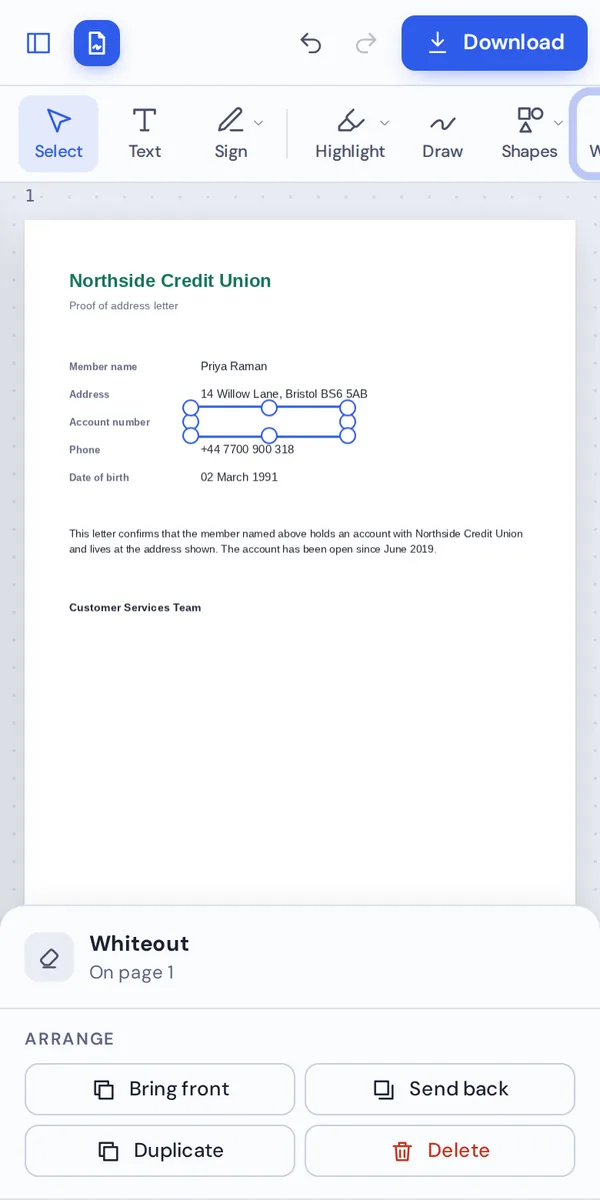
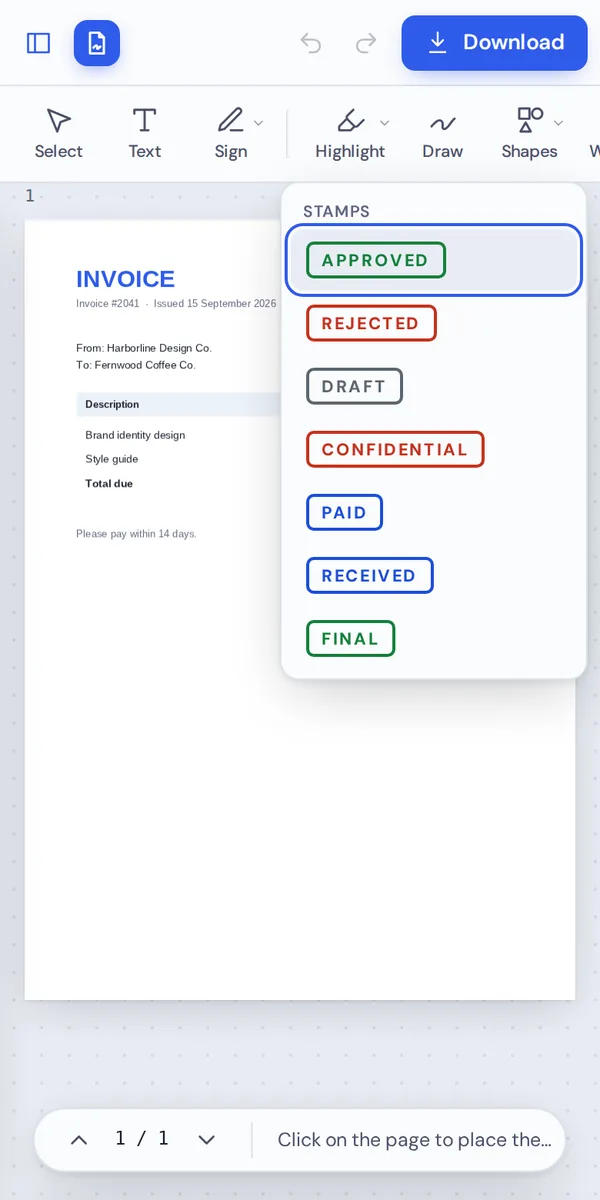
Cover or stamp
Use Whiteout to hide a detail, or add a Paid or Approved stamp with a tap.
Save and share
Tap Download. The PDF is saved to your Downloads folder, ready to share by email, WhatsApp or Drive.
Why Use a PDF Editor for Android in the Browser?
Android phones can open PDFs, but most do not come with a way to change them. PDF editor apps from the Play Store often need an account, show ads or add a watermark until you pay.
PDF Magic works in Chrome, Samsung Internet or Firefox instead. There is nothing to install, nothing taking up storage, and no permissions to grant.
Every tool is built for touch, from signing with your finger to the page buttons under each thumbnail.
No app
Nothing to download from the Play Store.
No ads, no watermark
Your document stays clean.
Stays on your phone
Your file is never uploaded.
PDF Editor for Android Options Compared
The usual ways to edit a PDF on an Android phone.
| PDF Magic | Built-in viewers | Play Store PDF apps | |
|---|---|---|---|
| Change existing text | Yes | No | Often with a subscription |
| Sign and fill forms | Yes | Varies by phone | Yes |
| Whiteout and stamps | Yes | No | Sometimes |
| Install and permissions | None | Built in | App download and permissions |
| Watermark or ads | Never | No | Sometimes on free versions |
Tips for Editing PDFs on an Android Phone
Small tricks that help on a small screen.
Screen
Give the page room.
- Landscape
Turn the phone sideways for a wider page.
- Zoom in
Tap + to place text precisely.
Signing
Get a neat signature.
- Use a stylus
Samsung S Pen and other styluses work well.
- Save it
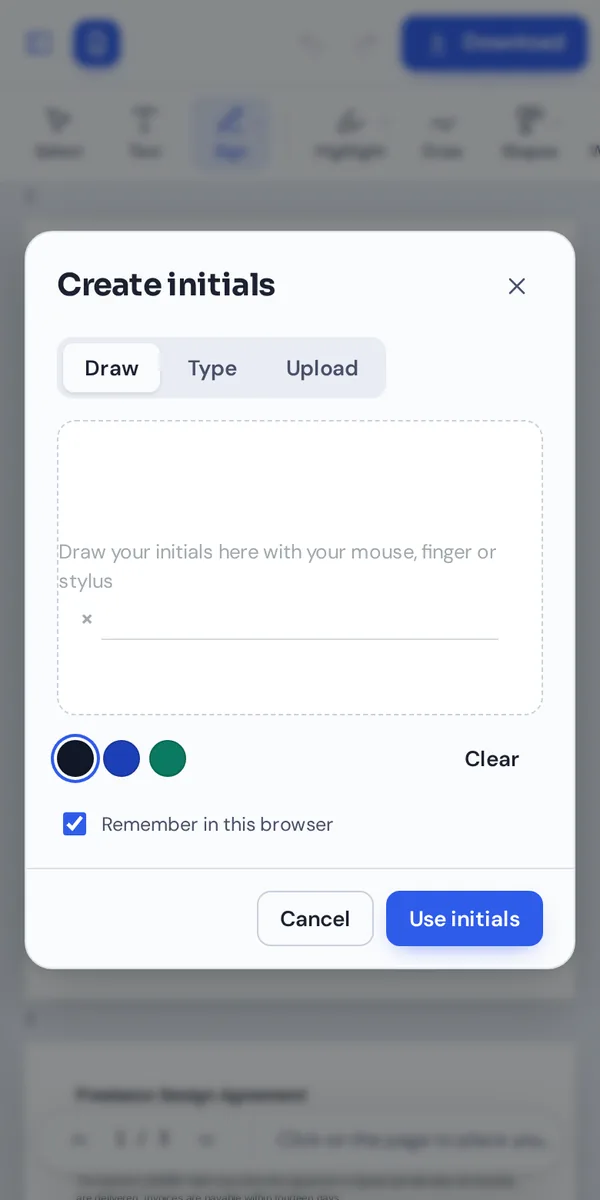
Keep your signature in Chrome for next time.
Files
Open and share.
- Downloads
Edited files are saved to Downloads.
- Google Drive
Pick files from Drive in the open window.
Tablets
Even better on a bigger screen.
- More room
Larger tablets show the settings panel next to the page.
- Keyboard covers
Shortcuts such as Ctrl+Z work too.
Your Files Stay on Your Phone
Most online editors upload the file from your phone to a server. This one opens and changes it inside Chrome, so it never leaves your Android device.
There is no account and no copy on our side. Close the tab and nothing is left behind.
A PDF editor for Android in the browser also needs no app permissions. The editor cannot see your photos, contacts or other files; it only reads the one document you choose, and only while the tab is open.
- 0files uploadedYour PDF stays on your phone.
- 0apps installedIt runs in your browser.
- 0watermarksDownloads stay clean.
On Tablets, Chromebooks and PCs Too
- Windows
- Mac
- Linux
- Chromebook
- iPhone
- iPad
- Android
The same editor works on Android tablets, Chromebooks, Windows PCs and Macs.
Start a form on your laptop and sign it on your phone. Nothing to install on any of them.
What People Edit on Their Android Phone
Jobs you can finish from your phone with a PDF editor for Android.
Contracts
Sign and send them back from anywhere.
Forms
Applications, sign-ups and claims.
Invoices
Stamp them Paid and share.
Hiding details
Cover numbers before you share a file.
School work
Fill in worksheets and forms.
Work approvals
Initial and approve documents.
PDF Editor for Android: Frequently Asked Questions
Answers to what Android users ask most before they start.
How do I use a PDF editor for Android?
Open this page in Chrome, click Choose PDF file and pick your document from Downloads, Google Drive or any folder on your phone. Choose a tool, make your changes and click Download.
Is there a free PDF editor for Android?
Yes. PDF Magic is a free PDF editor for Android, with no account and no watermark on your downloads. During our launch every tool is free.
Can I use a PDF editor for Android online?
Yes. This PDF editor for Android runs in your web browser, so there is nothing to download or install, and it is always up to date.
Does the PDF editor for Android work on tablets?
Yes. It works in the browser on Android tablets, where larger screens show the settings panel next to the page.
Can I use a PDF editor for Android without Adobe Acrobat?
Yes. You do not need Acrobat or any other software, and the PDF you download opens in every PDF reader.
Is it safe to use a PDF editor for Android online?
Yes. Your file is opened and changed inside the browser on your Android. It is never uploaded to our servers.
Does a PDF editor for Android keep the quality of my files?
Yes. Only what you change is changed. Text stays sharp and images keep their quality.
What is the easiest PDF editor for Android?
One you do not have to install. Open a file at the top of this page and the tools are ready straight away.
Ready to Try the PDF Editor for Android?
No app, no upload and no watermark: open a file at the top of this page.
Open the editorPDF Magic works in Chrome on every Android phone and tablet. Open your file in the PDF editor for Android today.