
PDF Tools Online Free
Free PDF tools that work in your browser. Open a file below, or pick a tool from the list.
- No upload
- No watermark
- No sign-up
- One editor for every tool
Every PDF tool on this site opens the same private editor, ready for one job. Open a file above to use all of them at once, or pick a tool from the list below to jump straight to the one you need. Nothing is uploaded, and nothing you download carries a watermark.
One Editor Behind All Our PDF Tools
Most sites give each PDF tool its own page, and each one uploads your file again. Here, the PDF tools share one editor that runs inside your browser. Choose one and the editor opens with it ready, but everything else is still one click away.
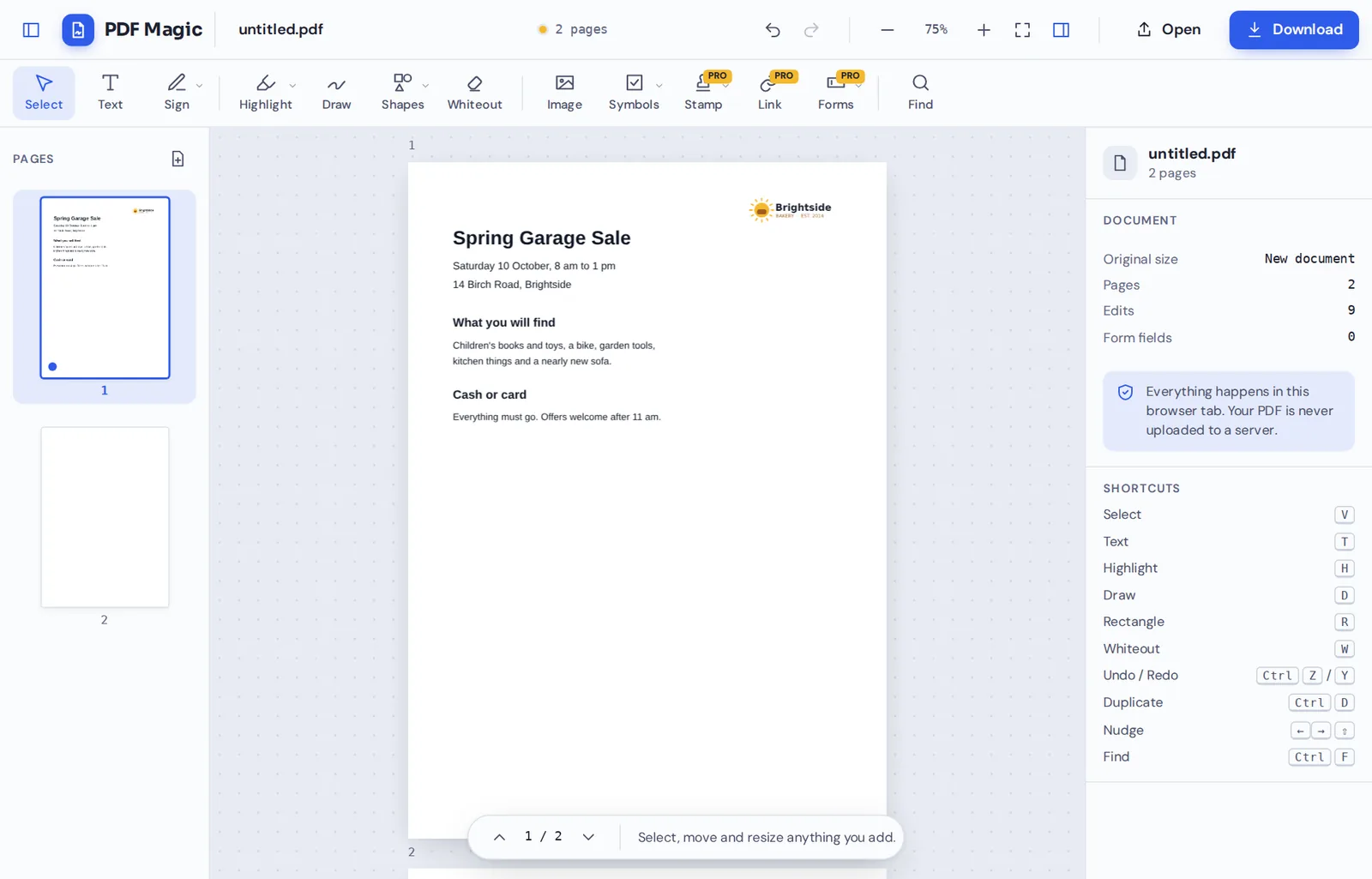
That means you can merge two files, rotate a page, fill in the form and sign it without leaving the page or uploading anything. Everything works on your own device, which keeps your documents private and makes every step quick.
Some jobs need a focused screen, such as merging files. Those open a simple one-job view, and the result can go straight into the editor for more changes.
Shared editor
Every tool opens the same editor, so nothing needs to be uploaded twice.
Local processing
Your files are opened and changed on your device.
Focused screens
One-job tools such as Merge PDF keep things simple.
What Our PDF Tools Can Do
The tools fall into a few groups. Each one links from the list above as soon as it is ready.
Edit
Change the words and pictures on a page.
- Edit PDF text
Retype a line of text in a matching font.
- Add text and images
Type anywhere and place logos or photos.
- Whiteout and find and replace
Cover details, or change a word on every page.
Annotate
Mark a document up for someone else.
- Highlight, underline, strike out
Marks that snap neatly to the words.
- Draw and shapes
Freehand pen, boxes, circles and arrows.
- Stamps
Approved, Paid, Draft or a stamp with your name.
Fill and sign
Finish forms and agreements.
- Sign
Draw, type or upload a signature and initials.
- Fill forms
Type into fields and tick boxes.
- Create fillable forms
Add fields that others can fill in.
Organize and create
Get the pages and files right.
- Merge
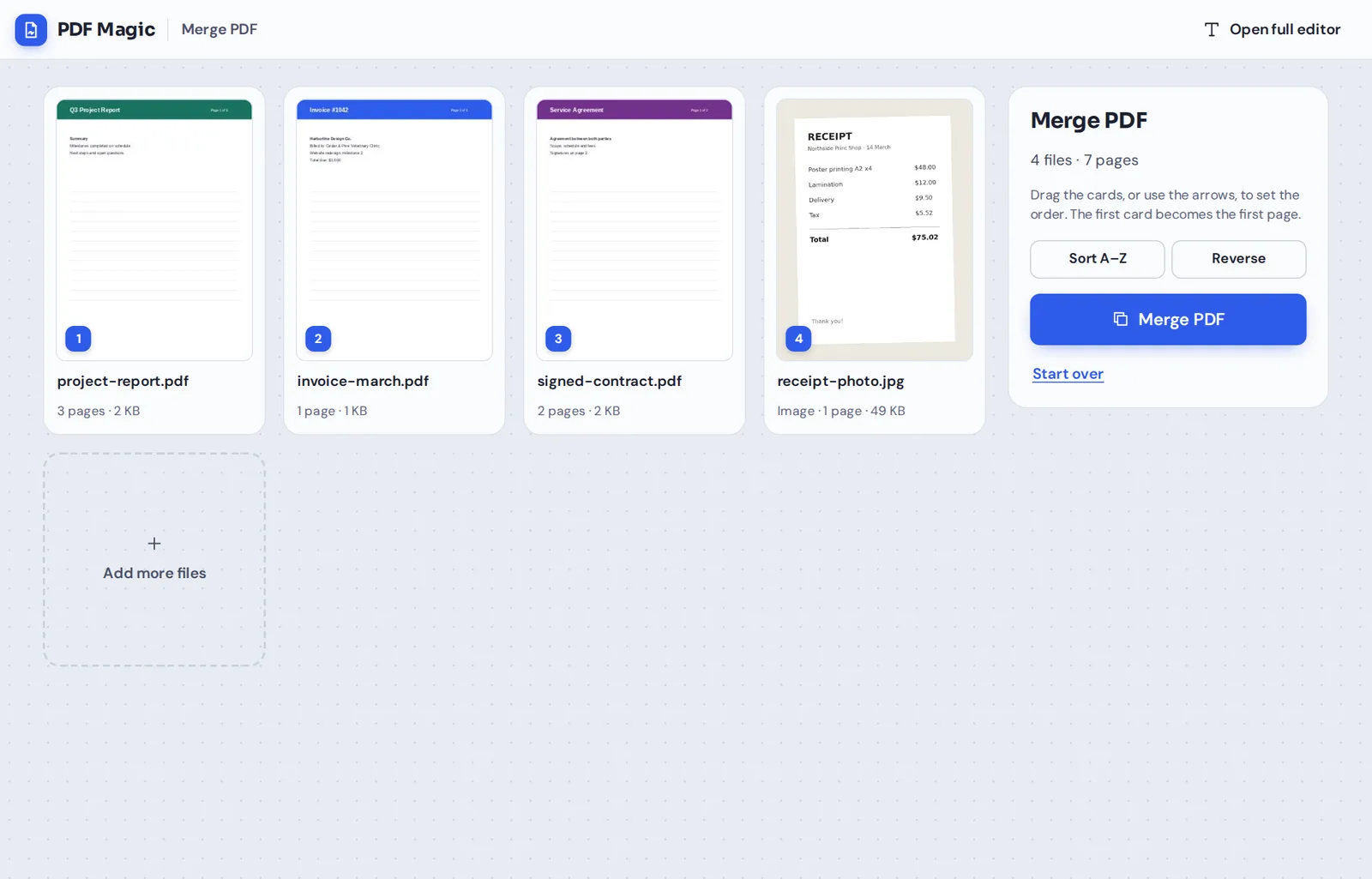
Combine PDFs and photos into one file.
- Page tools
Rotate, reorder, copy, add and delete pages.
- PDF maker
Start from a blank page or from photos.
Merge Files in One Step
Add PDFs and photos, drag them into order and merge. The new file can go straight into the editor for signing or page changes.
Our PDF Tools Compared With the Usual Kind
How browser-based PDF tools that keep files on your device compare with the options most people know.
| PDF Magic | Typical online PDF tools | Desktop software | |
|---|---|---|---|
| Where your file goes | Stays on your device | Uploaded to a server for every task | Stays on your device |
| Moving between tools | Same editor, no re-upload | Upload again for each tool | Same program |
| Account needed | No | Often, to download | Often, to activate |
| Watermark on free downloads | Never | Sometimes | Sometimes, on trials |
| Install anything | No | No | Yes |
Make New Documents, Not Just Edit Them
The PDF maker starts from a blank page or your photos. Type, add a logo and extra pages, then download.
Private by Design, With No Upload
Contracts, IDs, medical letters and bank statements are what people most often need to change. With these PDF tools they are opened inside your browser and never sent to our servers.
We do not keep copies and we do not need an account. Close the tab and nothing is left behind.
- 0files uploadedEvery tool works on your device.
- 0watermarksDownloads stay clean.
- 0accounts neededOpen a tool and start.
Works on iPhone, Android and Computer
- Windows
- Mac
- Linux
- Chromebook
- iPhone
- iPad
- Android
The tools run in Chrome, Edge, Firefox and Safari on Windows, Mac, Linux, Chromebooks, iPhones, iPads and Android phones. There is nothing to install.
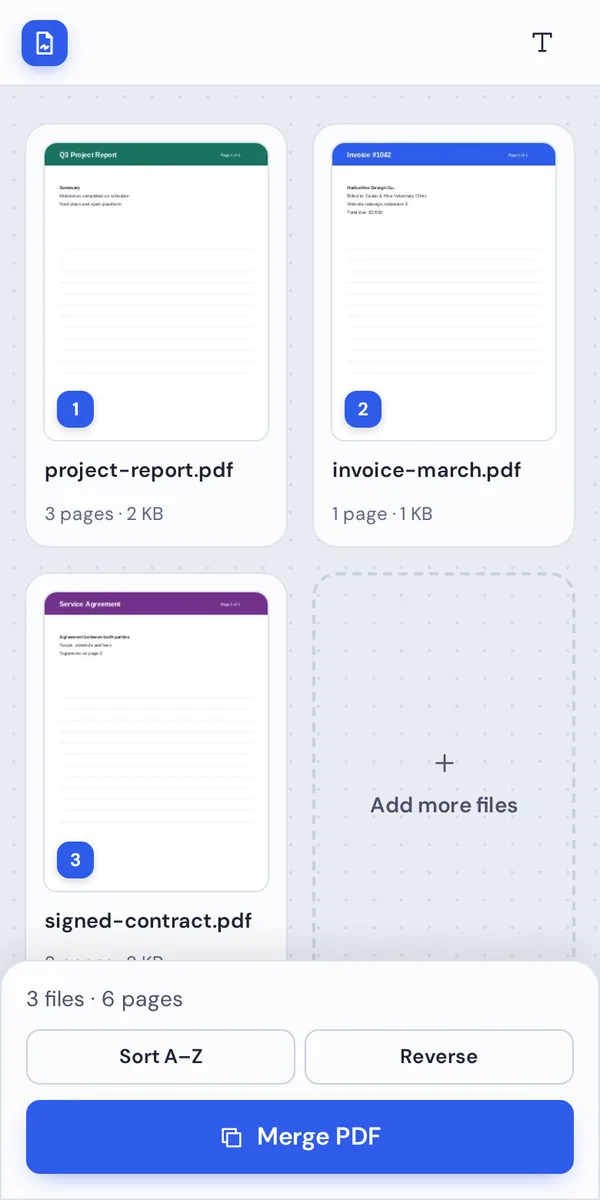
On a phone, the main button of each tool stays within reach of your thumb, and the page buttons sit under each thumbnail.
When People Use This Tool
A few of the things people do here every week.
Sign a contract
Sign and send it back in a minute.
Fill in a form
Type into the fields and tick boxes.
Send one file
Merge a CV, a letter and certificates.
Fix a scan
Turn sideways pages the right way up.
Hide a detail
Cover an account number before sharing.
Make a PDF
Turn receipt photos into one file.
PDF Tools: Frequently Asked Questions
Answers to what people ask most before they start.
Which PDF tools can I use here?
Editing, signing, form filling, highlighting, drawing, whiteout, stamps, images, links, form fields, merging, a PDF maker and page tools to rotate, reorder, copy, add and delete pages. New tools appear in the list as soon as they are ready.
Are these PDF tools free?
Yes. Everyday PDF tools are free, with no account and no watermark. During our launch every tool is free.
Can I use PDF tools online?
Yes. They run in your web browser, so there is nothing to install on Windows, Mac, Linux or a Chromebook.
Can I use PDF tools on my phone?
Yes. Open any tool in your phone's browser. The main buttons stay within reach, and there is no app to install.
Can I use PDF tools without Adobe Acrobat?
Yes. You do not need Acrobat or any other software, and the files you download open in every PDF reader.
Is it safe to use PDF tools online?
Yes, here it is. Every tool here opens and changes your file inside your browser, so it is never uploaded to our servers.
Do PDF tools reduce the quality of my files?
No. Pages are kept as they are, so text stays sharp and images keep their quality. Only what you change is changed.
What is the easiest way to use PDF tools?
Pick the tool for your job from the list on this page. It opens the editor with that tool ready, so you can start straight away.
Ready to Try the PDF Tools?
No account, no upload and no watermark: open a file at the top of this page or pick a tool from the list.
Open the editorPDF Magic brings every everyday job into one private editor. Open your file and try the PDF tools today.