
Rearrange PDF Pages Online Free
Rearrange PDF pages by dragging them into order, then download the new file.
- No upload
- No watermark
- No sign-up
- Drag, tap or keyboard
Rearrange PDF pages online for free by dragging page thumbnails into the order you want. It works with a mouse, a keyboard or a touch screen, and your file is never uploaded. Download the reordered document when you are done.
How to Rearrange PDF Pages in 4 Steps
Moving a page takes one drag, so you can rearrange PDF pages of a whole document in a minute.
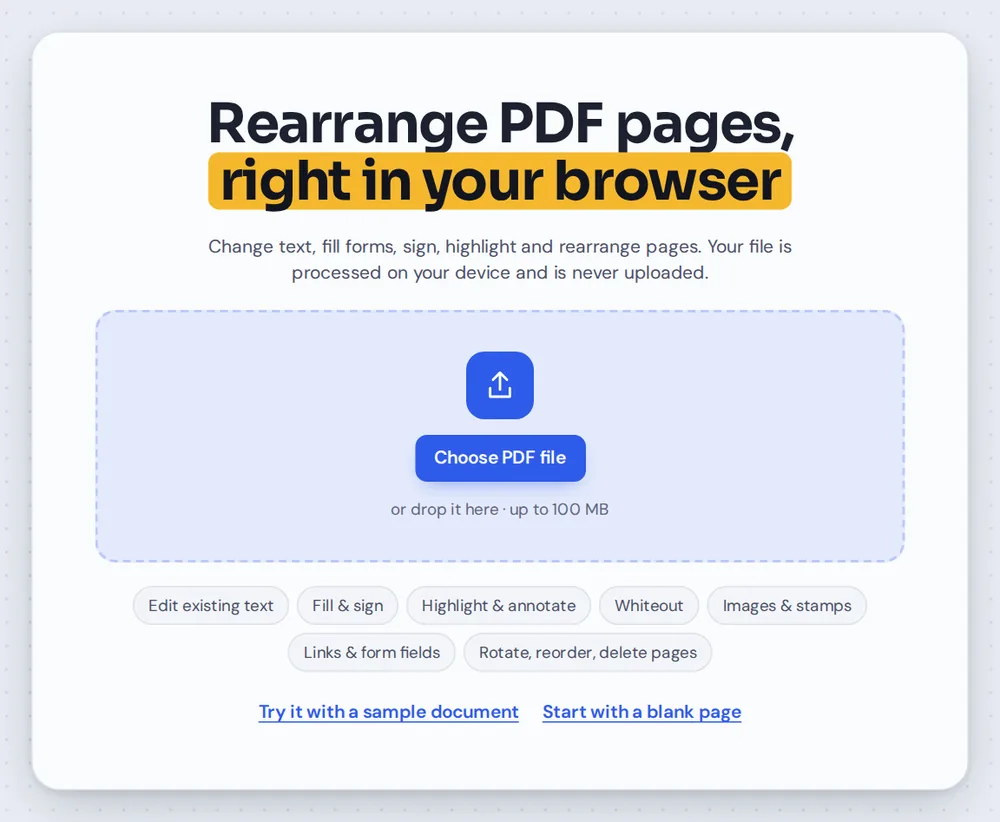
Open your PDF
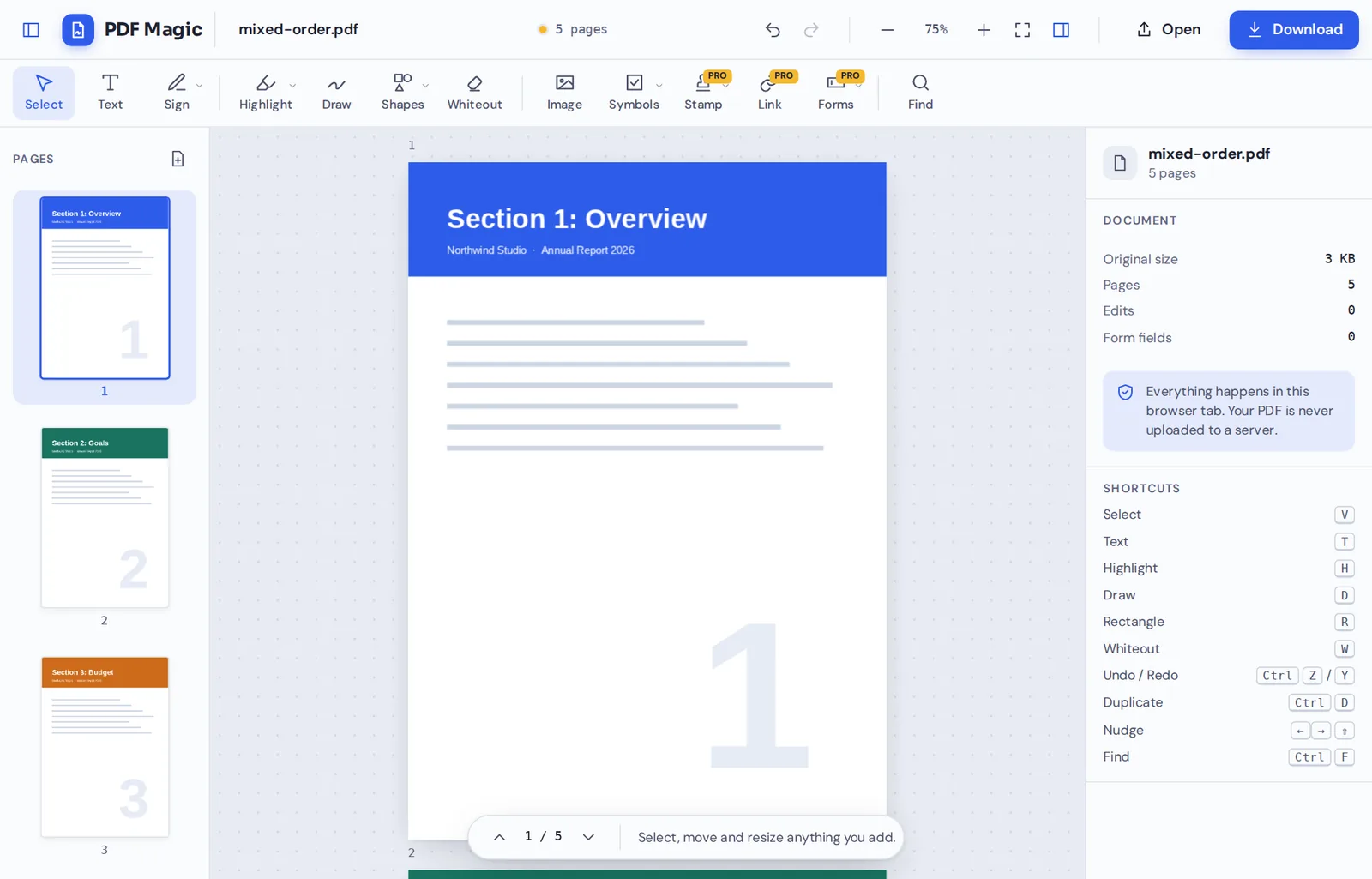
Click Choose PDF file or drag your document onto the editor above. The page sidebar opens with a picture of every page.
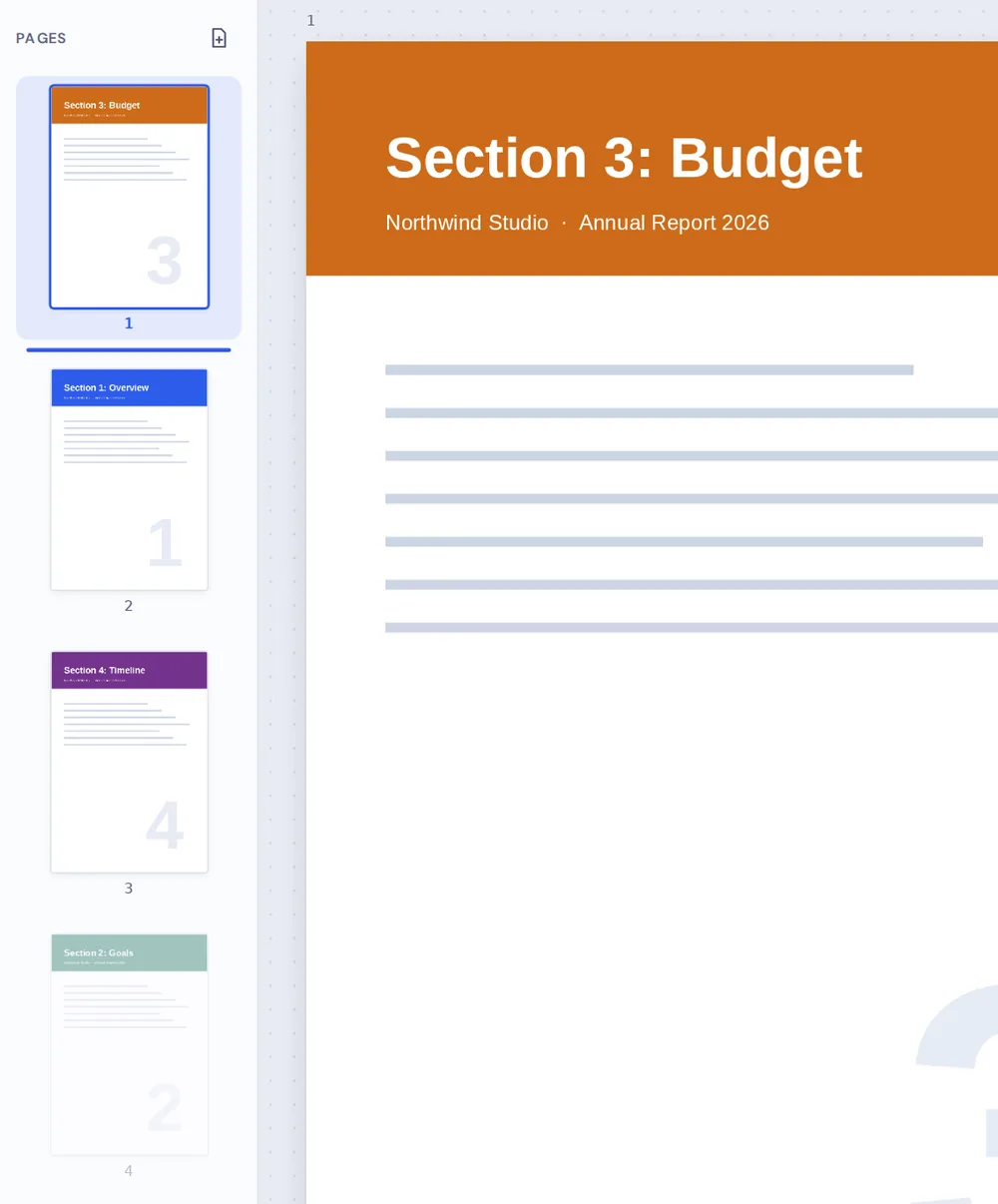
Drag pages into place
Drag a thumbnail up or down. A blue line shows where the page will land. Let go to drop it there.
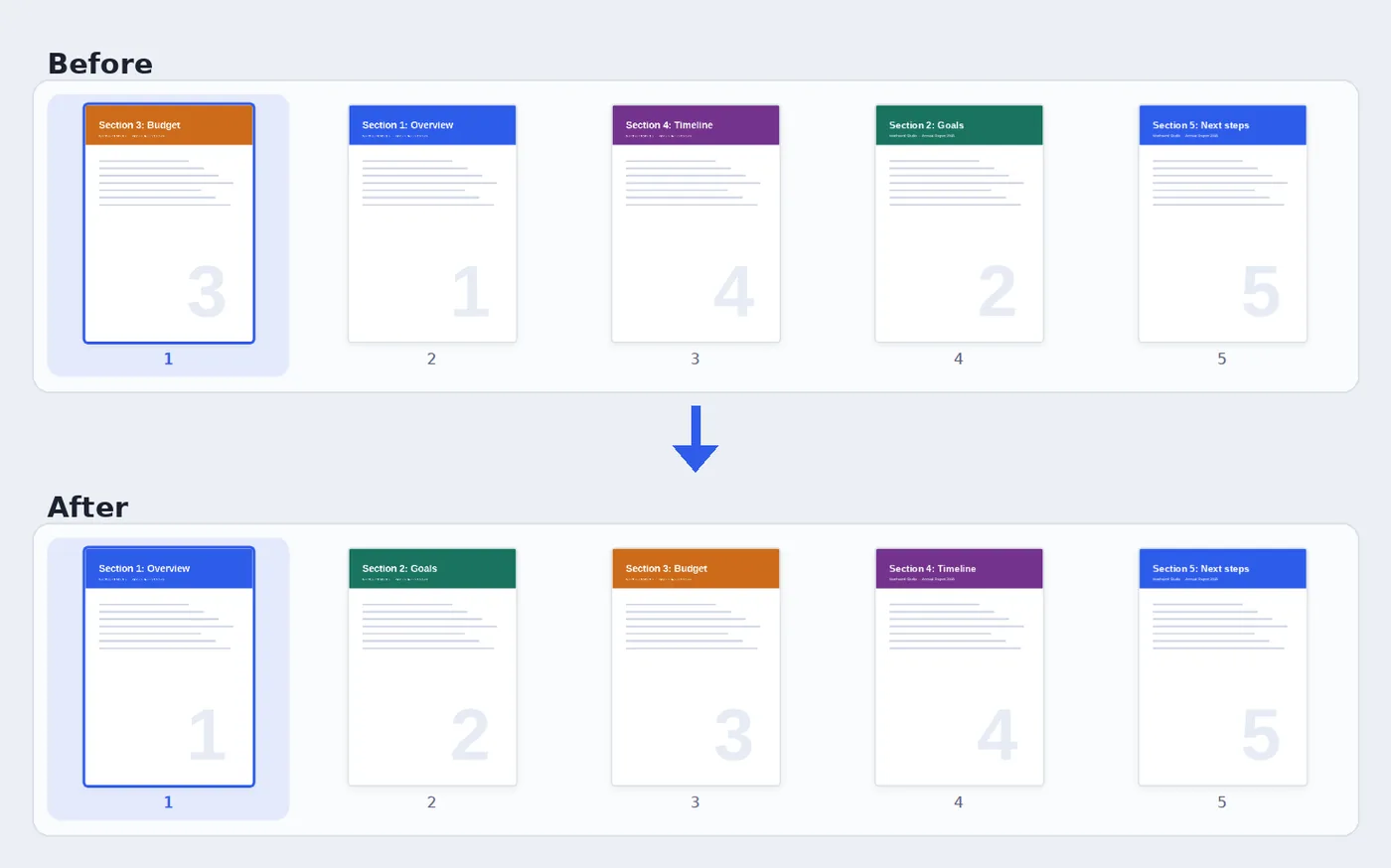
Check the new order
The page numbers update as you go, and the document in the editor follows the new order.
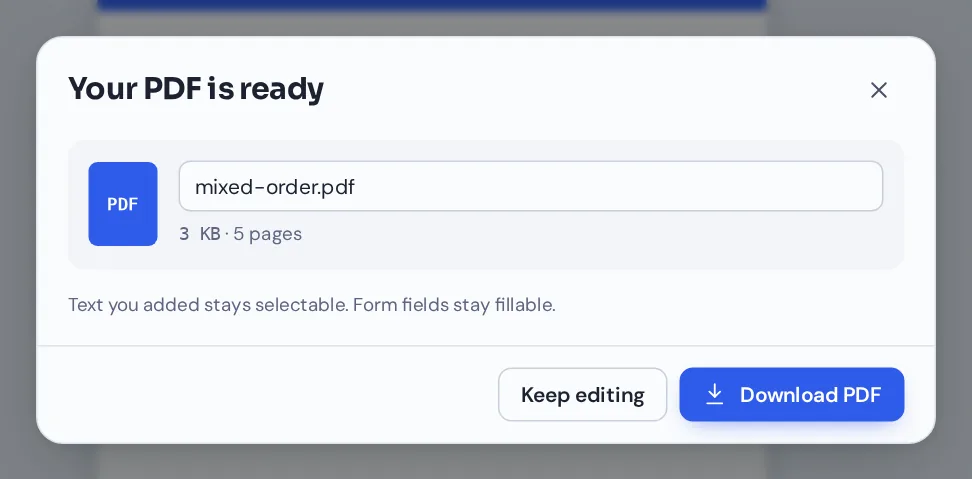
Download your file
Click Download and name your file. The pages are saved in the new order, with nothing else changed.
Three Ways to Rearrange PDF Pages
Pages end up in the wrong order all the time: a scanner feeds a stack in reverse, a chapter is added at the end instead of the middle, or two files are joined the wrong way round.
PDF Magic lets you rearrange PDF pages without re-scanning or re-exporting anything. The pages are moved, not redrawn, so text stays sharp and selectable and images keep their quality.
Pick whichever way of moving pages suits you. They all do the same thing.
Drag and drop
Drag a page thumbnail to a new place with the mouse.
Keyboard
Select a thumbnail and press Alt and the up or down arrow to move it one place.
Touch screen
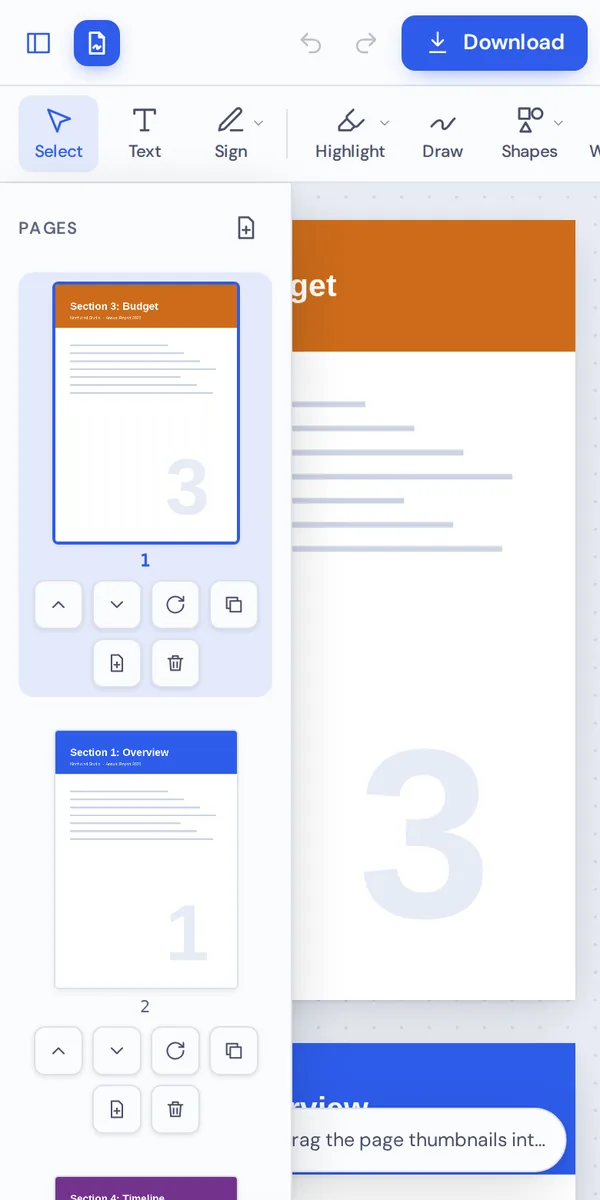
Tap the up and down buttons under a thumbnail on a phone or tablet.
Everything You Can Do When You Rearrange PDF Pages
The sidebar you use to rearrange PDF pages also handles every other page job.
Move pages
Put every page in the right place.
- Drag and drop
Drag a thumbnail and watch the blue line to see where it will land.
- Keyboard
Use the up and down arrows to select a page, and Alt with an arrow to move it.
- Touch buttons
On phones and tablets, each thumbnail has move up and move down buttons.
Fix pages
Tidy up the rest of the document at the same time.
- Rotate
Turn sideways pages the right way up, 90° per click.
- Duplicate
Copy a page and drag the copy wherever you need it.
- Insert a blank page
Add an empty page after any page, for notes or a divider.
- Delete
Remove a page you do not need, with a check before it goes.
Undo
Try things freely.
- Step back
Press Ctrl+Z to undo a move, and Ctrl+Shift+Z to redo it.
- Original stays safe
Your original file is never changed.
Download
Save the new order.
- Name your file
Rename the download before you save it.
- No watermark
Pages look exactly like the originals, just in a new order.
Related Tools in the Same Editor
They open in the same editor, so your file never leaves your device.
Merge PDF
Combine several files, then fine-tune the page order here.
Rotate PDF
Turn sideways pages upright.
Delete PDF pages
Remove pages you do not need.
Add a blank page
Insert an empty page anywhere.
Duplicate PDF pages
Copy a page within the same file.
PDF Editor
Add text, sign and highlight.
Private by Design, With No Upload
When you rearrange PDF pages here, the document is opened and reordered inside your browser tab. It is never sent to our servers, and nothing is stored after you close the tab.
That makes it a safe choice for contracts, reports and scans with personal details.
- 0files uploadedYour PDF stays on your device.
- 0quality lostPages are moved, not redrawn.
- 0accounts neededOpen the page and start.
Works on iPhone, Android and Computer
- Windows
- Mac
- Linux
- Chromebook
- iPhone
- iPad
- Android
It works in any modern browser, with nothing to install. On a phone or tablet, open the page list and tap the up and down buttons under each thumbnail to move pages.
Got a scan with the pages in reverse? Open it on your phone, rearrange PDF pages in a few taps and send it on.
When People Use This Tool
People rearrange PDF pages because one page in the wrong place makes a whole document harder to read.
Scans in reverse
Stacks fed into a scanner back to front.
Merged files
Files combined in the wrong order.
Reports
A new section that belongs in the middle, not at the end.
Course packs
Readings and worksheets in lesson order.
Applications
Documents in the order a landlord or office asks for.
Presentations
Slides exported as a PDF that need a new order.
Pro Tips for Faster Results
- Zoom out the page viewFewer, smaller pages on screen make the sidebar easier to follow.
- Use the keyboard for long movesHold Alt and tap the arrow key to move a page several places.
- Duplicate a dividerInsert one blank page, then copy it wherever you need a break.
- Merge firstCombining files? Merge them, then fix the page order here.
- Undo anythingCtrl+Z steps back through every move.
- Keep the originalYour original is not changed, so keep it as a backup.
Rearrange PDF Pages: Frequently Asked Questions
Answers to what people ask most before they start.
How do I rearrange PDF pages?
Open your PDF. The sidebar shows every page. Drag the pages into the order you want, then click Download.
Can I rearrange PDF pages for free?
Yes. Reordering pages and downloading are free, with no account and no watermark.
Can I rearrange PDF pages online?
Yes. PDF Magic runs in your web browser, so you can rearrange PDF pages online on Windows, Mac, Linux or a Chromebook with nothing to install. Open your file in the tool at the top of this page to start.
How do I rearrange PDF pages on my phone?
Open this page in your phone's browser, tap Choose PDF file and pick your document. Use the up and down buttons under each page thumbnail. Then tap Download. There is no app to install.
Can I rearrange PDF pages without Adobe Acrobat?
Yes. You do not need Acrobat or any other software. PDF Magic works in your browser, and the file you download opens in Acrobat, Preview, Chrome and every other PDF reader.
Is it safe to rearrange PDF pages online?
Yes. PDF Magic does not upload your file. It is opened and changed inside your browser tab and never sent to our servers, so nobody else sees it. Close the tab and nothing is left behind.
How do I rearrange PDF pages without losing quality?
Pages are moved, not redrawn, so text stays sharp and pictures keep their quality.
What is the easiest way to rearrange PDF pages?
Open the file above and drag the thumbnails in the sidebar. Alt+Up and Alt+Down move a selected page too.
Ready to Rearrange PDF Pages?
No account, no upload and no watermark: open your document above and drag the pages into order.
Open the editorPDF Magic is the easy, private way to put a document in order. Open your file and rearrange PDF pages today.