
Add Date to PDF Online Free
Add date to PDF forms and letters in one click, in the format you need, right in your browser.
- No upload
- No watermark
- No sign-up
- Edit it like text
Add date to PDF forms online for free, right in your browser. Click the date line and today's date appears, ready to move, restyle or change. It is perfect next to a signature, and your file is never uploaded.
How to Add Date to PDF Forms in 4 Steps
It takes one click to add date to PDF forms once the file is open.
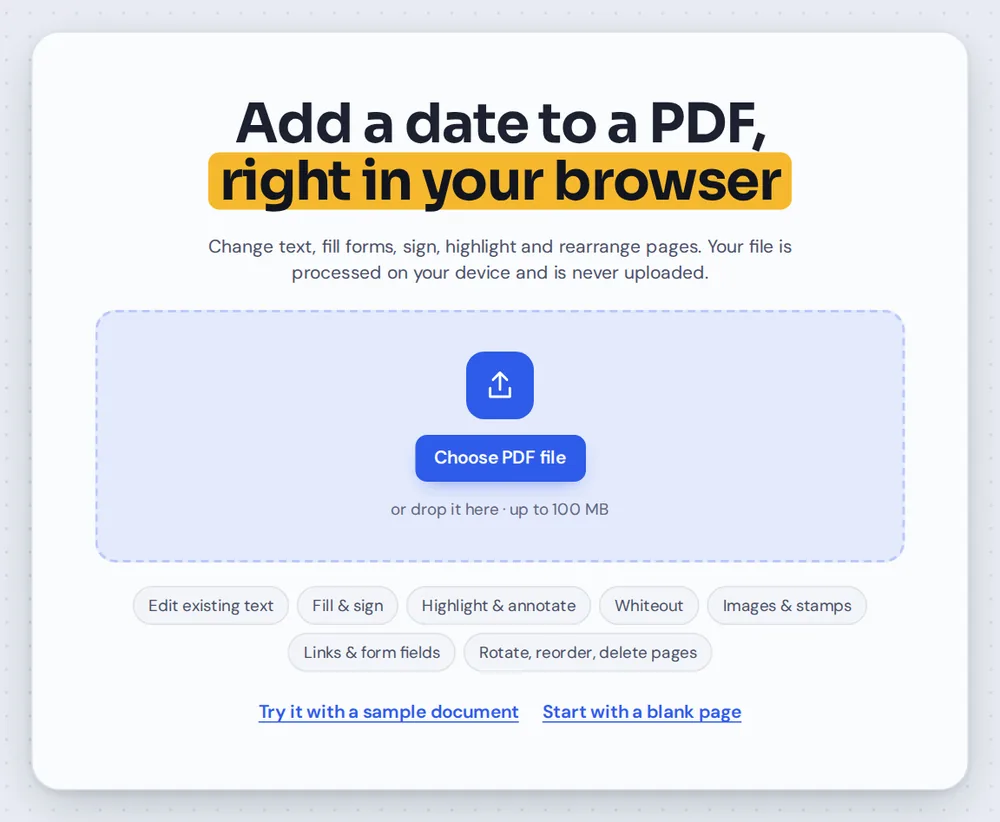
Open your PDF
Click Choose PDF file or drag your document onto the editor above. The date tool is already selected.
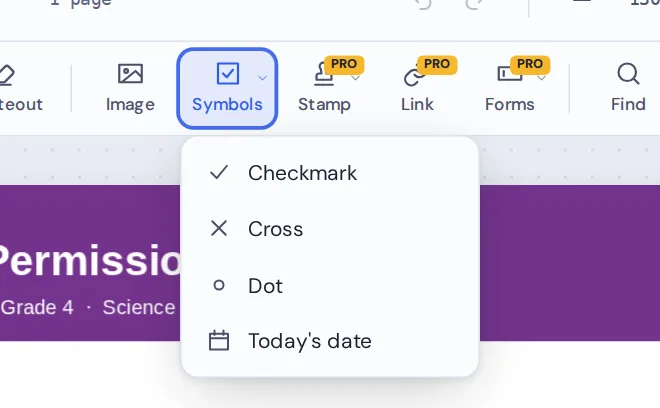
Choose Today's date
It is ready to go when the page opens. Later, pick Today's date from the Symbols menu in the toolbar.
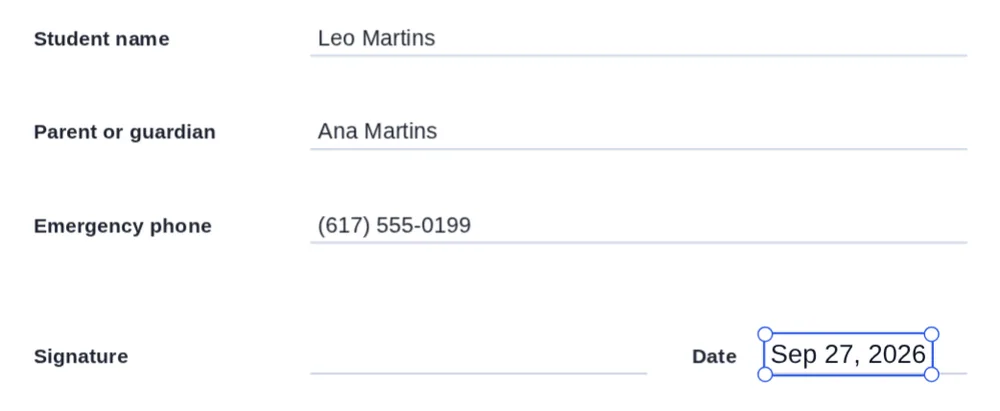
Click the date line
Click where the date should go. Today's date appears there, and you can drag it into place.
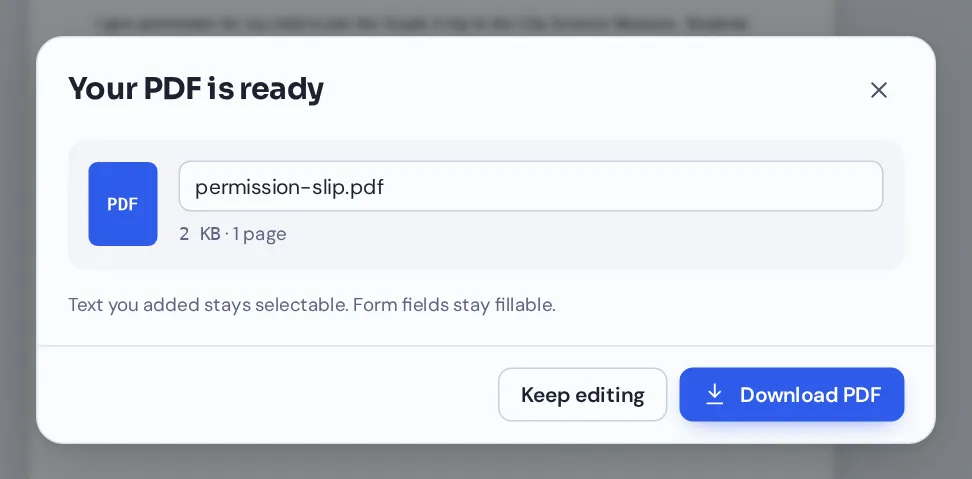
Download your file
Click Download and name your file. The date is saved as real text on the page.
How the Date Looks When You Add Date to PDF Forms
PDF Magic writes today's date in the style your device uses. In the United States that looks like Sep 27, 2026, and in the United Kingdom like 27 Sept 2026.
The date is placed as ordinary text, so you can change it. Double-click it to type a different date or a different format, such as 27/09/2026 or 2026-09-27.
Because it is real text, the date stays sharp when printed and can be selected and searched in any PDF reader.
Today in one click
No typing. The date comes from your device's calendar.
Any format
Double-click the date to type it the way the form asks for.
Your style
Change the font, size and color in the side panel.
Everything You Can Do When You Add Date to PDF Pages
After you add date to PDF pages, select the date to see its settings in the side panel.
Place
Put the date where the form asks.
- One click
Click a date line to place today's date.
- Move it
Drag the date, or nudge it with the arrow keys.
- Every page
Copy the date and paste it on other pages that need it.
Change
Any date, any format.
- Edit like text
Double-click the date to type a new one.
- Past or future dates
Type any date you need, such as a start date or a due date.
Style
Match the rest of the form.
- Font and size
Helvetica, Times or Courier, at any size.
- Color
Black, blue and five more colors, or any custom color.
Finish the form
Dates rarely travel alone.
- Sign it
Add your signature next to the date.
- Initials and checkmarks
Initial pages and tick boxes with the same editor.
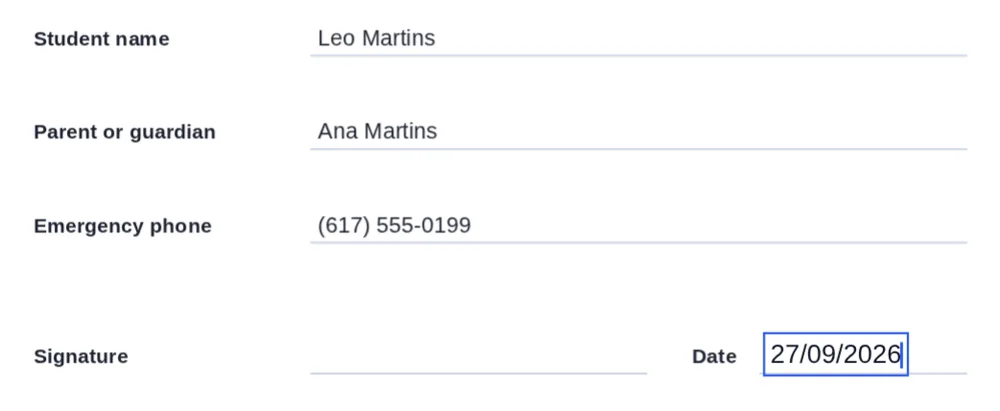
Double-click a date to change it. It is the quickest way to add date to PDF forms that ask for a set format, like DD/MM/YYYY.
Related Tools in the Same Editor
They open the same document in the same editor, so nothing is uploaded.
Sign PDF
Draw, type or upload your signature.
Add initials
Initial every page of an agreement.
Add checkmarks
Tick boxes on paper-style forms.
Fill PDF forms
Type into the form's fillable fields.
Stamp PDF
Approved, Paid and Received stamps with the date.
Add text to PDF
Type anything else the form needs.
Private by Design, With No Upload
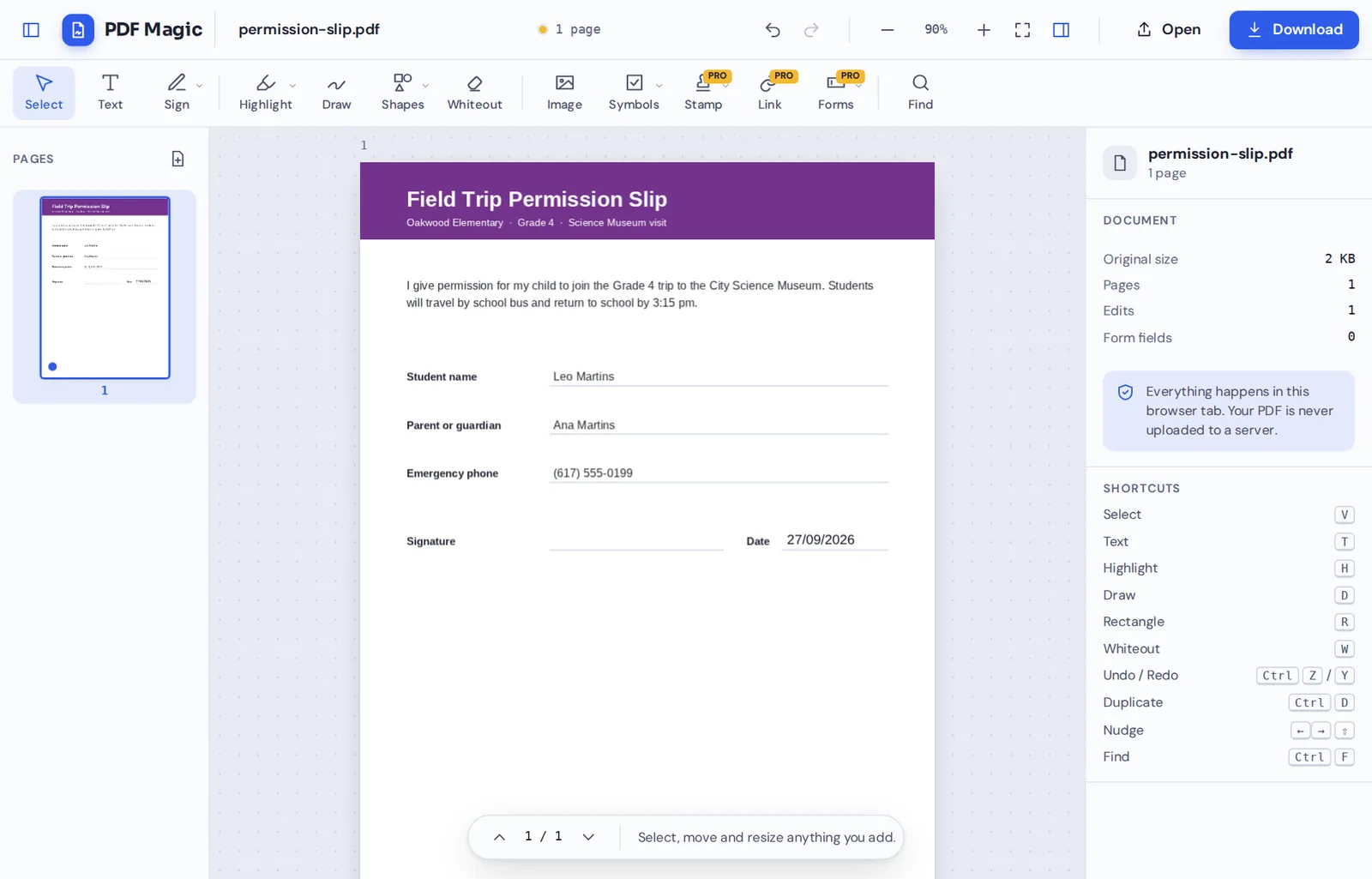
When you add date to PDF files here, the document is opened and changed inside your own browser tab. It is never sent to our servers.
That makes it a safe choice for school forms, contracts and applications with personal details.
- 0files uploadedYour PDF stays on your device.
- 0watermarksYour document looks like yours.
- 0accounts neededOpen the page and start.
Works on iPhone, Android and Computer
- Windows
- Mac
- Linux
- Chromebook
- iPhone
- iPad
- Android
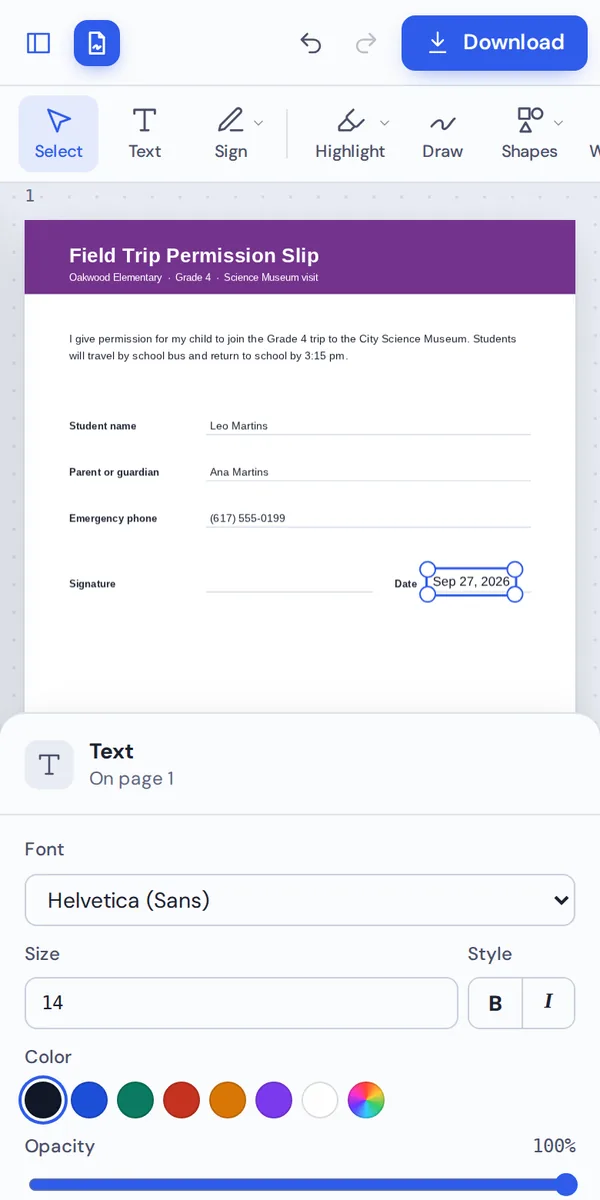
It works in any modern browser, with nothing to install. On a phone, tap the date line and today's date appears.
Got a permission slip by email this morning? Open it on your phone, sign it, add date to PDF pages and send it back before school starts.
When People Use This Tool
People add date to PDF forms because almost every signature line has a date line next to it.
School forms
Permission slips, consent forms and enrollment forms.
Contracts
Date the agreement next to each signature.
Rental forms
Move-in dates, inspections and lease renewals.
HR forms
Timesheets, leave requests and onboarding forms.
Invoices and receipts
Mark the date an invoice was paid or received.
Medical forms
Consent and intake forms, kept private.
Pro Tips for Faster Results
- Check the formatSome forms ask for DD/MM/YYYY. After you add date to PDF pages, double-click it to change it.
- Sign first, then dateAdd your signature, then place the date next to it.
- Zoom in on small linesIt is easier to place the date exactly on the line.
- Match the sizeMake the date the same size as the other answers on the form.
- Copy to other pagesCopy the date and paste it on every page that needs one.
- Undo anythingCtrl+Z steps back if the date lands in the wrong place.
Add Date to PDF: Frequently Asked Questions
Answers to what people ask most before they start.
How do I add date to PDF?
Open your PDF, choose Today's date from Symbols and click where the date should go. You can change the format and edit it like text, then click Download.
Can I add date to PDF for free?
Yes. Adding dates and downloading are free, with no account and no watermark.
Can I add date to PDF online?
Yes. PDF Magic runs in your web browser, so you can add dates to PDF files online on Windows, Mac, Linux or a Chromebook with nothing to install. Open your file in the tool at the top of this page to start.
How do I add date to PDF on my phone?
Open this page in your phone's browser, tap Choose PDF file and pick your document. Tap where the date should go and it is placed for you. Then tap Download. There is no app to install.
Can I add date to PDF without Adobe Acrobat?
Yes. You do not need Acrobat or any other software. PDF Magic works in your browser, and the file you download opens in Acrobat, Preview, Chrome and every other PDF reader.
Is it safe to add date to PDF online?
Yes. PDF Magic does not upload your file. It is opened and changed inside your browser tab and never sent to our servers, so nobody else sees it. Close the tab and nothing is left behind.
How do I add date to PDF without losing quality?
The date is added as real, sharp text, and the rest of the page is unchanged.
What is the easiest way to add date to PDF?
Open the file above and click where the date goes. Today's date is placed in one click.
Ready to Add Date to PDF Forms?
No account, no upload and no watermark: open your form above and date it in one click.
Open the editorPDF Magic is the easy, private way to finish a form. Open your file and add date to PDF pages today.