
Edit PDF Text Online
Edit PDF text right on the page, in the original font where possible.
- No upload
- No watermark
- Matches size and style
- Try it free
Edit PDF text online by clicking a line and typing. Fix a typo, a name, a price or a date where it stands, and the new words match the size and style of the original. Your file is never uploaded, and you can try it for free.
How to Edit PDF Text in 4 Steps
It takes a few seconds to edit PDF text lines, with no retyping of the whole document.
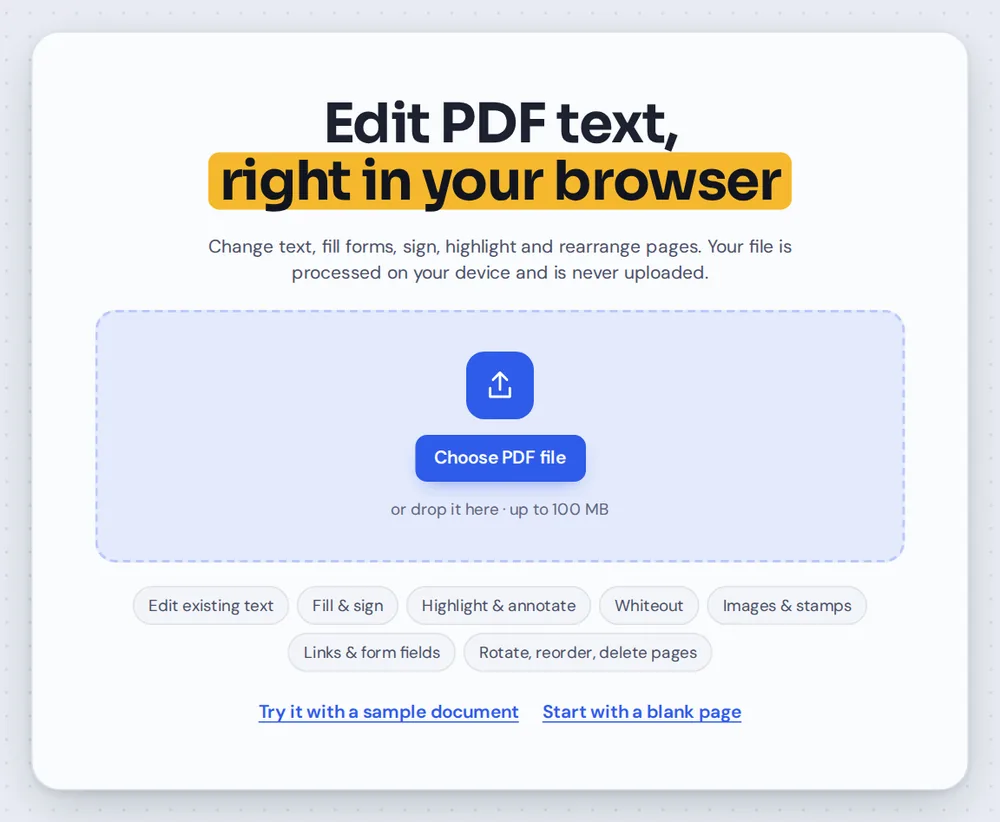
Open your PDF
Click Choose PDF file or drag your document onto the editor above. The Text tool is already selected.
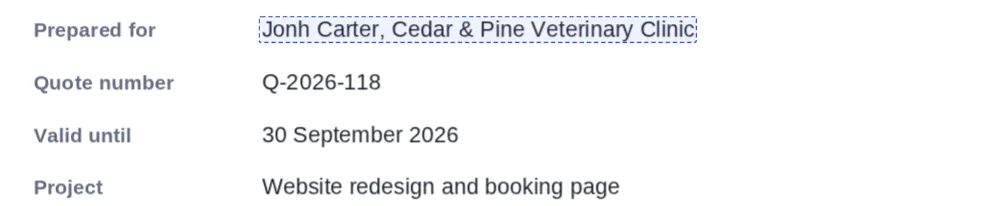
Point at a line
Move over the page. Every line of real text gets a dashed outline, so you can see exactly what you can change.
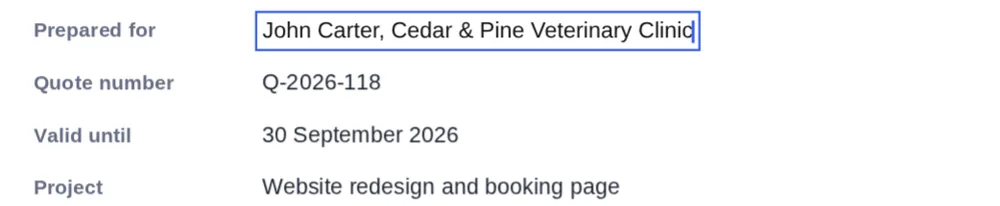
Click and retype
Click the line and type. Use the arrow keys, Home and End to move around, and press Esc when you are done.
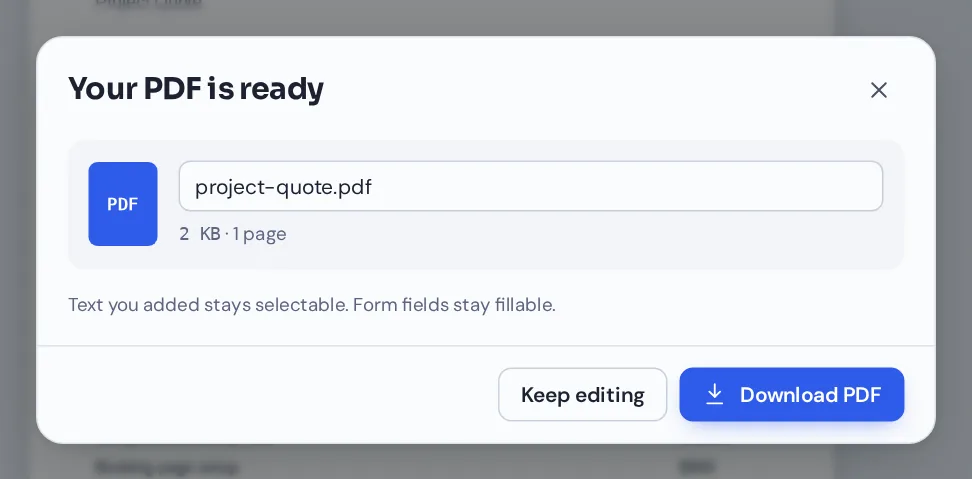
Download your file
Click Download and name your file. The new words are real text that can be selected and searched.
Edit PDF Text Quotes, Invoices and Letters
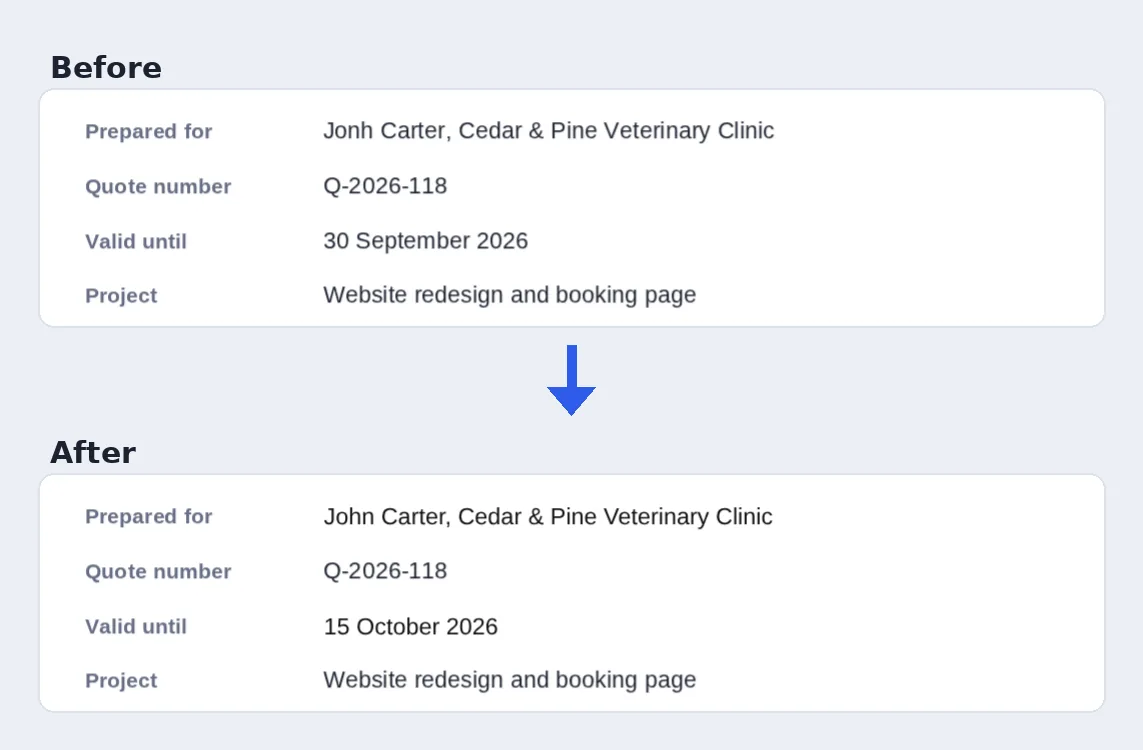
A misspelled client name and an old expiry date, fixed in place in under a minute.
What Happens When You Edit PDF Text Pages
A PDF does not store paragraphs the way a Word file does. Each line is a run of characters placed at an exact spot on the page. That is why you cannot simply click into most PDFs and type.
When you edit PDF text pages with PDF Magic, the editor covers the original line with a patch that matches the page background, then places new, editable text in the same spot. It picks the closest standard font (Helvetica, Times or Courier) and matches the size, bold and italic of the original.
The original words are covered, not removed, so they are still inside the file. Use this tool to correct and update documents, not to hide confidential details.
Line by line
Each line is edited on its own. Long paragraphs do not reflow onto new lines.
Closest font
New words use Helvetica, Times or Courier, whichever looks most like the original.
Covered, not removed
The old words stay inside the file under the patch.
Everything You Can Do When You Edit PDF Text
When you edit PDF text here, every other editor tool is one click away.
Change existing text
Fix what is already on the page.
- Click any line
A dashed outline shows each line you can change. Click it to edit PDF text pages right where it is.
- Matched style
Size, bold and italic follow the original, so the change blends in.
- Adjust the look
Select the edited line to change its font, size, color or position in the side panel.
Find and replace
Change the same words everywhere.
- Search every page
Press Ctrl+F to find a word or phrase. Matches are marked on the page.
- Replace all
Update every match in one step, with an option to match upper and lower case.
Add and remove
For changes that are not a straight swap.
- Add new text
Click an empty spot with the Text tool to type something new.
- Whiteout
Cover a word or a whole block with a white box.
- Undo
Press Ctrl+Z to step back through any change.
Download
Save the corrected copy.
- Selectable text
The words you typed are real text, so they can be searched and copied.
- No watermark
Your document looks exactly like yours, just corrected.
Related Tools in the Same Editor
They open the same document you edit PDF text pages with, so nothing is uploaded.
Find and replace
Change a word or name on every page at once.
Add text to PDF
Type new words anywhere on the page.
Whiteout PDF
Cover words and blocks with a white box.
Sign PDF
Sign the corrected document.
Highlight PDF
Mark the lines you changed for a reviewer.
PDF Editor
Every editing tool in one place.
Private by Design, With No Upload
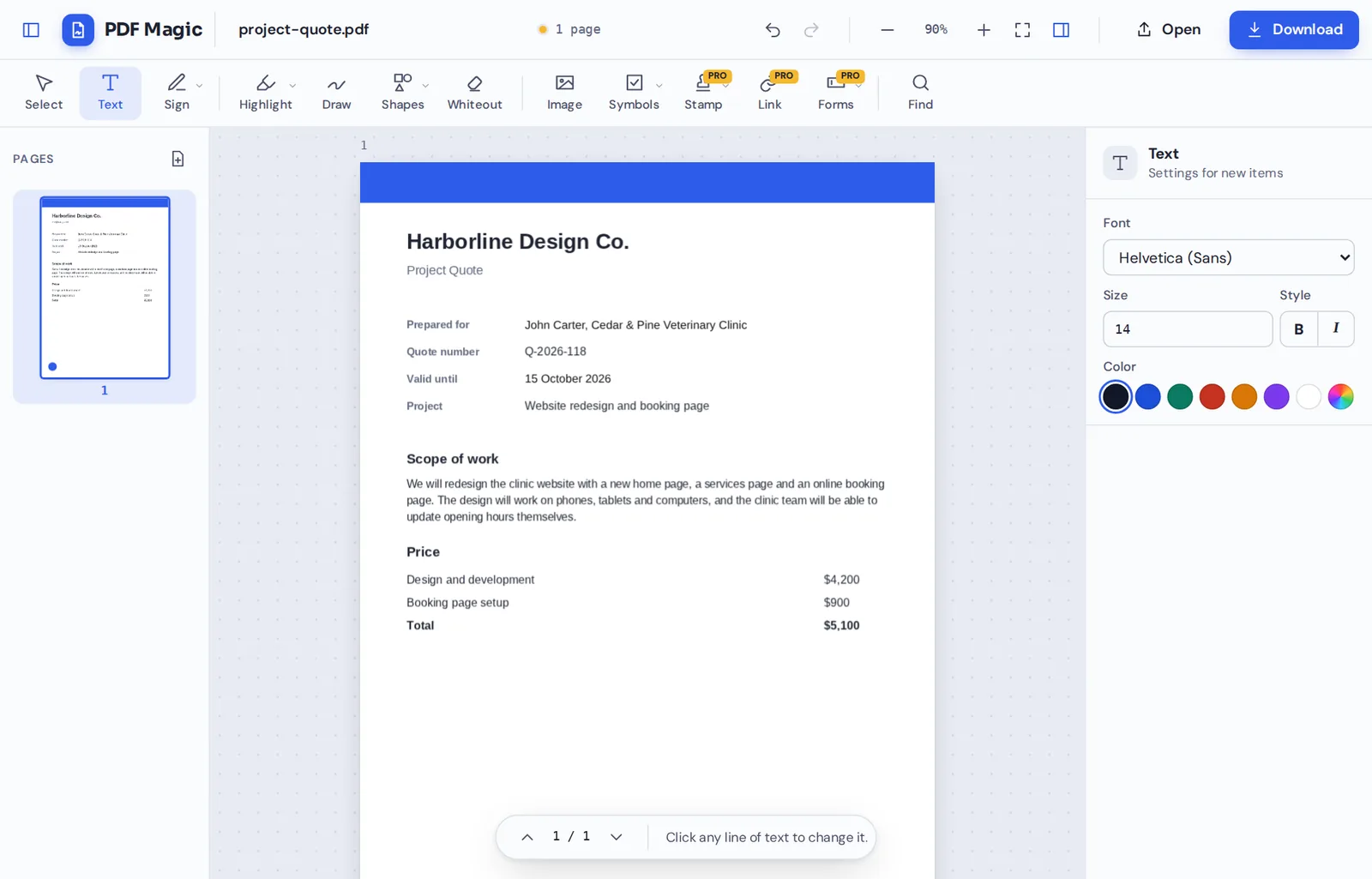
When you edit PDF text here, the file is opened and changed inside your own browser tab. It is never sent to our servers, and nothing is kept after you close the tab.
That makes it a safe choice for contracts, quotes, invoices and letters with personal details.
- 0files uploadedYour PDF stays on your device.
- 0watermarksYour document looks like yours.
- 0installsIt runs in your browser.
Works on iPhone, Android and Computer
- Windows
- Mac
- Linux
- Chromebook
- iPhone
- iPad
- Android
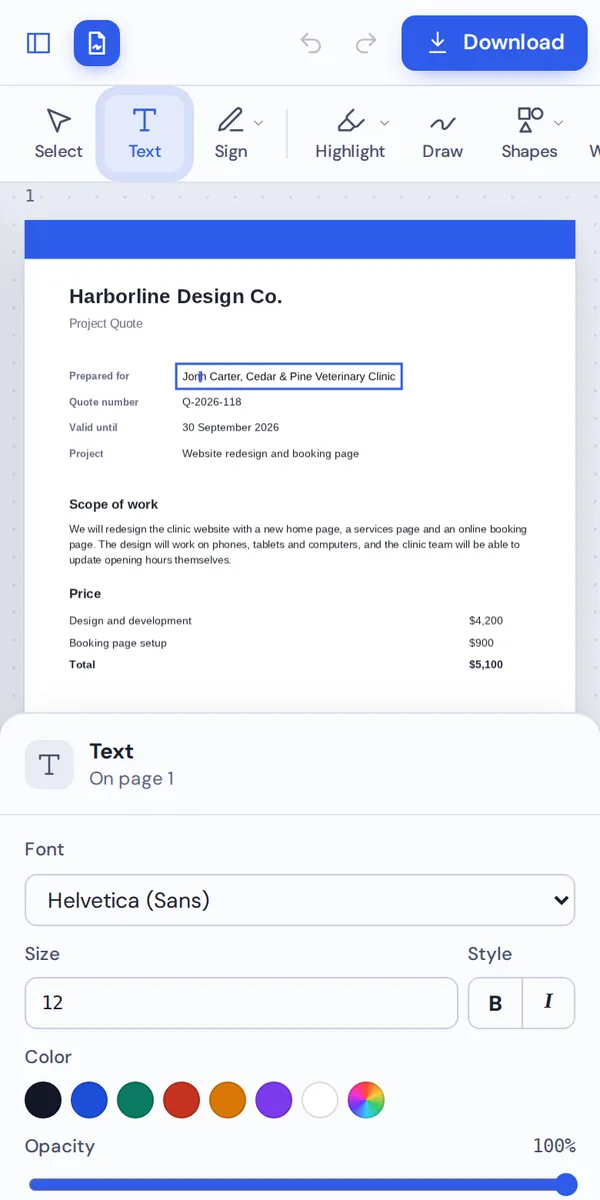
It works in any modern browser, with nothing to install. On a phone or tablet, tap a line of text and your keyboard opens so you can retype it.
Spotted a typo in a file you are about to send? Open it on your phone, fix it in place and send the corrected copy.
When People Use This Tool
Most people edit PDF text to make small fixes without starting the document again.
Invoices and quotes
Fix a price, a date or a client name.
Contracts
Correct a spelling mistake before it is signed.
Letters
Update a name, address or reference number.
CVs and certificates
Correct a date or a job title.
Flyers and notices
Change an event date or time.
Old documents
Reuse last year's file with this year's details.
Pro Tips for Faster Results
- Zoom in on small printZoom in before you edit PDF text pages with small print, so you pick the right line.
- Keep the length similarLines do not reflow, so a much longer line may run into the margin.
- Check the fontIf a line looks different, try the other fonts in the side panel.
- Hide secrets properlyCovered words stay in the file. Remove private pages or use redaction instead.
- Scans are picturesWords in a scan cannot be edited. Cover them with whiteout and type on top.
- Undo anythingCtrl+Z steps back if a change is not right.
Edit PDF Text: Frequently Asked Questions
Answers to what people ask most before they start.
How do I edit PDF text?
Open your PDF, click the line you want to change and retype it. The new words use a matching font where possible, then click Download.
Can I edit PDF text for free?
Yes. During our launch every tool is free, with no account and no watermark.
Can I edit PDF text online?
Yes. PDF Magic runs in your web browser, so you can edit PDF text online on Windows, Mac, Linux or a Chromebook with nothing to install. Open your file in the tool at the top of this page to start.
How do I edit PDF text on my phone?
Open this page in your phone's browser, tap Choose PDF file and pick your document. Tap the line you want to change and type the new words. Then tap Download. There is no app to install.
Can I edit PDF text without Adobe Acrobat?
Yes. You do not need Acrobat or any other software. PDF Magic works in your browser, and the file you download opens in Acrobat, Preview, Chrome and every other PDF reader.
Is it safe to edit PDF text online?
Yes. PDF Magic does not upload your file. It is opened and changed inside your browser tab and never sent to our servers, so nobody else sees it. Close the tab and nothing is left behind.
How do I edit PDF text without losing quality?
Only the line you change is replaced. The rest of the page is untouched, and the new text is real, sharp text rather than a picture.
What is the easiest way to edit PDF text?
Open the file at the top of this page and click any line of text. It turns into an edit box right where it is, with the original font where possible.
Ready to Edit PDF Text?
No upload and no watermark: open your document above, click a line and type.
Open the editorPDF Magic is the easy, private way to correct a document. Open your file and edit PDF text pages today.